How to Translate Your Website in 5 Simple Steps
Did you know that 90% of people prefer websites in their native language? If your site is English-only, you're missing out on a massive global audience. Translating your website can help you connect with new users, boost credibility, and even increase sales. The best part? You don’t need to be a tech expert to make it happen.
Here’s how you can translate your website in five straightforward steps:
- Identify your needs: Choose target languages based on your existing traffic and business goals. Focus on key pages like your homepage, product details, and checkout process.
- Prepare your site: Set up a multilingual framework with UTF-8 encoding, flexible layouts, and user-friendly language switchers. Use subdirectories (e.g.,
yoursite.com/es/) for better SEO. - Use a platform like Heylingo: This tool automates translations, supports over 30 languages, and integrates seamlessly with most websites.
- Refine translations: Edit important sections like headlines and calls-to-action to match your brand's tone. Avoid literal translations that might confuse users.
- Launch and maintain: Test everything thoroughly, track performance with tools like Google Analytics, and keep your translations updated over time.
Translating your website isn’t just about swapping words - it’s about creating a smoother experience for users in different regions. By following these steps, you can make your site accessible to a global audience while keeping it professional and reliable.
How to Translate a Website (9 Easy Ways)
Step 1: Identify Your Website Translation Requirements
Start by defining the scope, budget, and timeline for your translation project. This initial step is critical - it sets the stage for success and ensures your translated website resonates with your target audience.
Pick Your Target Languages and Markets
Let data guide your language and market choices. Focus on countries where you already receive traffic but face language barriers that may hinder conversions.
For example, check your top traffic sources by country over the past six months. If you're consistently getting visitors from Germany, France, or Japan, these regions are already interested in what you offer. These "warm markets" are often easier to convert compared to starting in entirely new territories, as there's already an existing demand.
Tie your translation strategy to your business goals. Are you introducing a product that appeals to specific regions? Do you have distribution partners in certain countries? Aligning your language choices with your broader objectives ensures a more focused approach.
Also, consider factors like market size, purchasing power, competition, and saturation. For instance, translating into Spanish could open doors to both Spain and Latin America, potentially reaching over 500 million people. On the other hand, smaller markets with less competition might offer better opportunities than larger, more crowded ones.
Review Your Website Content
Audit your website to identify key content for translation. Prioritize pages and elements that directly impact conversions. Start with essential areas like the homepage, product pages, pricing details, contact information, and the checkout process.
Don’t forget dynamic content and smaller UI elements such as navigation menus, button text, form labels, and error messages. SEO metadata like page titles, meta descriptions, and legal content (e.g., privacy policies and terms of service) should also be part of your plan.
Once you've identified priority content and target audiences, you’ll be ready to prepare your website’s technical structure for translation in the next step.
Apply U.S. Formatting Standards
If your target audience includes U.S. visitors, consistent formatting is key to building trust and credibility. Make sure your website adheres to these U.S. standards:
- Dates: Use the MM/DD/YYYY format (e.g., June 7, 2024).
- Currency: Place the dollar sign before amounts (e.g., $1,500) and use commas for thousand separators.
- Measurements: Use imperial units like miles, pounds, Fahrenheit, and gallons.
- Numbers: Use periods for decimals and commas for thousands (e.g., 1,234.56).
- Time Zones: Reference U.S. time zones (e.g., 3:00 PM EST, 12:00 PM PST).
These formatting details may seem small, but they make your website feel more professional and trustworthy to U.S. users.
Step 2: Get Your Website Ready for Multiple Languages
Laying the groundwork for a multilingual website is key to ensuring your translated content is displayed correctly and offers a smooth experience for international visitors. This step focuses on setting up the technical framework and design elements needed to support multiple languages effectively.
Set Up Technical Requirements
Your website’s ability to handle multiple languages starts with its code structure. To simplify translation and updates, separate your content from the code. Store text in external files or databases instead of embedding it directly into your HTML or CSS.
Make sure to use UTF-8 encoding, as it supports nearly all languages and special characters - from Spanish accents to Japanese kanji. Add <meta charset="UTF-8"> to your HTML header to avoid display issues.
Design your layout with flexibility in mind to handle text variations. For instance, German text can be 30-35% longer than its English counterpart, and languages like Arabic and Hebrew read from right to left. Use relative units like percentages instead of fixed pixel widths for text containers, and test how menus and buttons adapt to these differences.
If you’re using platforms like React, Vue.js, or Angular, consider integrating internationalization (i18n) frameworks. These tools simplify translation management and allow users to switch languages dynamically.
These adjustments not only ensure smoother translations but also support navigation tools for a multilingual audience.
Add Language Switchers and URL Structure
A user-friendly language switcher is essential for directing visitors to their preferred content. Best practices suggest using unique URLs for each language version instead of relying on cookies or browser settings.
Place the language switcher in a consistent, prominent location - like the top-right corner of the navigation bar or as a dropdown menu in the header. Some websites opt for a floating element in the bottom corner that stays visible as users scroll.
Display languages in their native script - for example, "Español" instead of "Spanish" or "Deutsch" instead of "German". Avoid using flags as language indicators, as they can be misleading or culturally inappropriate. For instance, both the U.S. and U.K. use English, and Spanish is spoken across multiple countries with different flags.
For URLs, subdirectories are a practical choice. They balance SEO benefits with ease of maintenance. Use structures like yoursite.com/en/ for English and yoursite.com/es/ for Spanish. This approach is cleaner than subdomains and more affordable than creating separate domains for each country.
To help search engines understand the relationship between language versions, use hreflang annotations. Add these tags to your HTML head section:
<link rel="alternate" hreflang="en" href="https://yoursite.com/en/about"/>
<link rel="alternate" hreflang="es" href="https://yoursite.com/es/acerca"/>
Avoid automatically redirecting users based on their location or browser language. This can limit access to other language versions for both users and search engines. Instead, detect the user’s preferences and display a notification asking if they’d like to switch languages.
Once your site is structured for multilingual use, it’s time to fine-tune content formatting to align with U.S. standards.
Format Content for U.S. Standards
After setting up the technical framework, customize your content to meet U.S. conventions. Here are a few key adjustments:
- Temperature references should appear in Fahrenheit. If your content management system stores temperatures in Celsius, use conversion functions to display values like "75°F" instead of "24°C."
- Address formats should follow U.S. conventions, with the zip code placed after the state abbreviation: "123 Main Street, New York, NY 10001." Apply this to contact forms, shipping addresses, and any location references.
- Phone numbers should use the standard U.S. format: "(555) 123-4567." Avoid international formats like "+1-555-123-4567" for domestic users.
Configure your CMS to apply these formatting rules automatically based on the user’s language or location, ensuring consistency across your site.
Step 3: Set Up Heylingo Translation Platform
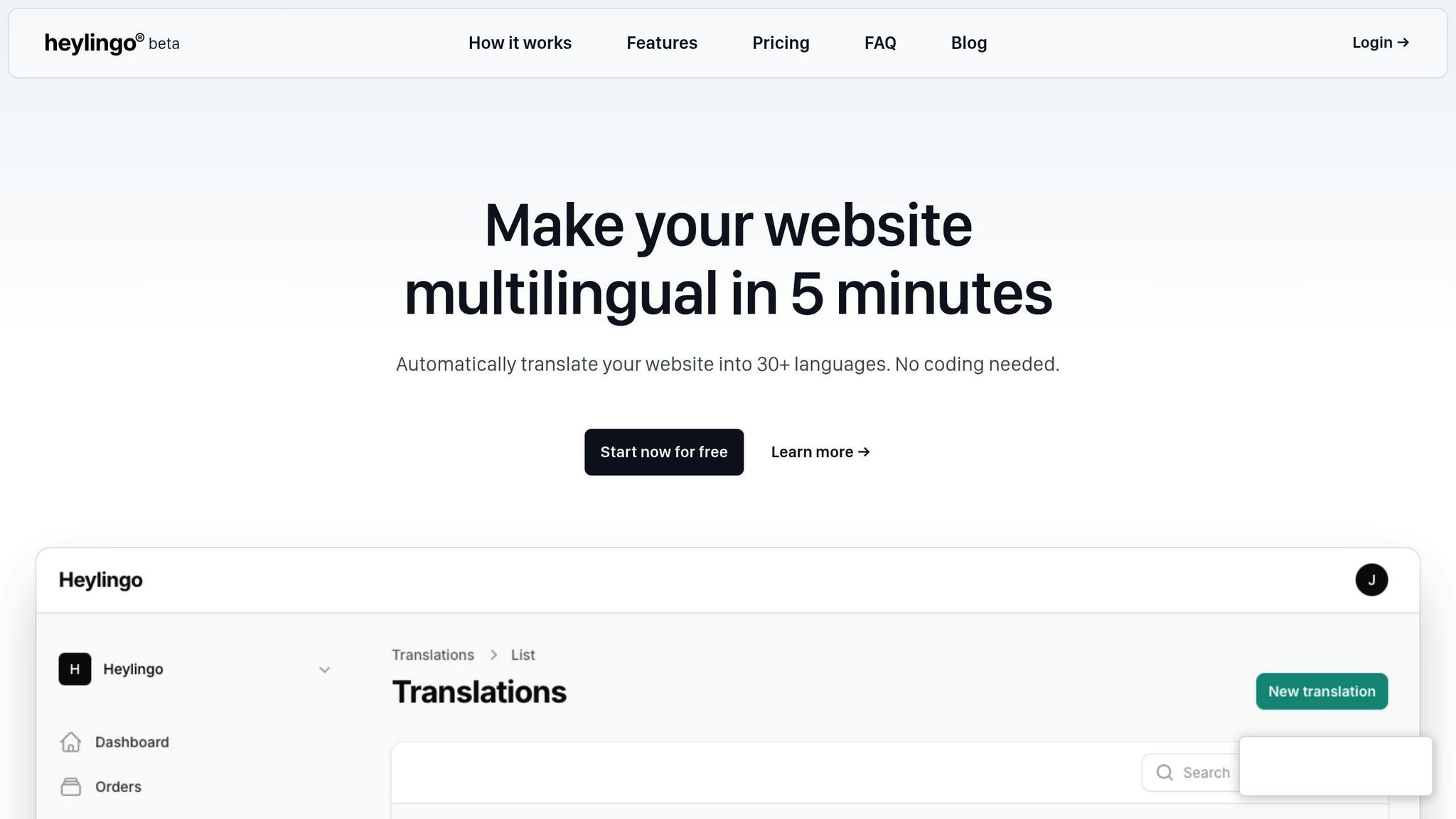
Now that your multilingual framework is ready, it's time to integrate a translation platform to handle the heavy lifting. Heylingo makes website translation simple, eliminating the need for complex coding or manual file management.
Why Choose Heylingo
Heylingo is a versatile translation platform that works with any website. It supports over 30 languages and integrates seamlessly with content management systems, custom platforms, and e-commerce solutions - including Shopify, thanks to its dedicated plugin.
The platform offers real-time translations, ensuring content loads instantly as visitors browse. This eliminates the delays often associated with offline translation workflows.
One of Heylingo's standout features is its manual editing option. While the platform automatically generates translations, you maintain full control over the final text. This ensures your brand's tone and messaging stay consistent across languages.
Heylingo is also GDPR-compliant, making it a reliable choice for U.S. businesses with international reach. It supports dynamic content and single-page applications, so all elements of your site - like menus, forms, and product descriptions - are translated seamlessly.
To keep your site running smoothly, Heylingo uses a global content delivery network (CDN), which ensures fast loading times even when you add multiple languages.
Install and Configure Heylingo
Getting started with Heylingo is quick and straightforward. In less than 30 minutes, you can create an account, connect your site, and select your target languages.
- Choose a Plan: Visit the Heylingo website and pick a plan based on your content needs. The Starter plan costs $11.30/month for up to 100,000 characters, while the Scale plan is $78.07/month for 1,000,000 characters.
-
Set Up Your Account: After signing up, you'll receive a lightweight script (under 50KB) to embed in your website. This script is designed to have minimal impact on your site's loading speed. Add the following code to your website's header, just before the closing
</head>tag:<script src="https://cdn.heylingo.io/translate.js" data-key="your-unique-key"></script> - Configure Languages: The setup wizard will guide you through selecting your source language (typically English for U.S. websites) and target languages. If you're catering to the North American market, Spanish and French are excellent starting points, as they serve large segments of the population.
- Automatic and Manual Translation: Heylingo automatically detects and translates text, including navigation menus, product descriptions, and form labels. For specialized content, like legal disclaimers or technical details, you can flag sections for manual review to ensure accuracy.
- Test the Language Switcher: Once the setup is complete, test the translation feature by toggling between languages using the default language switcher. Heylingo places this switcher in your website's header by default, but you can customize its position and appearance to match your design.
With Heylingo installed and configured, you're ready to fine-tune your translations in the next step.
sbb-itb-8482ffa
Step 4: Review and Improve Your Translations
Once you've completed the automatic translation process, it’s time to refine the text to align with your brand's voice and connect with your audience effectively.
Edit and Refine Key Translations
Pay close attention to critical areas like homepage headlines, product descriptions, and calls-to-action (CTAs). These elements play a major role in engaging users, so take the time to review and tweak them as needed. Use your translation editor to fine-tune phrases, and preview the changes on your live site in a separate browser tab to see how they look in real-time.
Don’t overlook the importance of adapting idioms and expressions for your target audience. For instance, phrases like "hit a home run" or "piece of cake" might resonate in English but could confuse users in other languages. Replace these with equivalent expressions that make sense culturally. Keeping a glossary of brand-specific terms is also essential - it ensures your messaging stays consistent across all pages and avoids any misinterpretations.
Leverage Translation Memory Features
If your translation platform includes a translation memory tool, make full use of it. This feature stores approved translations and suggests them automatically for similar phrases or terms across your site. It’s especially helpful as your website grows, ensuring consistency for important terms, such as those used in customer support or key product features. For repetitive elements like navigation menus, footer links, and form labels, bulk editing can save you time while maintaining uniformity.
Once you’ve standardized your translations, fine-tune the content to meet the expectations of U.S.-based users.
Adapt Content for U.S. Audiences
With your multilingual framework in place, adjust the presentation of your content to align with U.S. conventions. This includes adhering to local standards for language, measurements, and formatting, as outlined earlier. By tailoring your content to meet these expectations, you can create a seamless and relatable experience for U.S. users.
Step 5: Launch and Manage Your Translated Website
Once your translations are polished and ready, it’s time to go live and set up a system to keep everything running smoothly. This step ensures your international visitors have an easy, enjoyable experience while keeping your content accurate and up to date.
Test and Launch Translations
Before hitting the launch button, thoroughly test your website on various devices and browsers to catch any potential issues. Make sure your language switcher works seamlessly on mobile phones, tablets, and desktops. Double-check that language-specific URLs redirect properly and don’t lead to broken links.
Pay attention to how your site performs in different languages. Longer translations can sometimes disrupt layouts or slow down loading times, so test the page speed for each language version. Also, ensure that interactive elements like forms, shopping carts, and buttons function correctly by submitting test orders or filling out forms in every language.
Once your multilingual site is live, keep an eye on its performance to fine-tune the experience for your users.
Track User Experience and Site Performance
Use tools like Google Analytics to set up language-specific tracking. This will help you understand how visitors from different regions interact with your site. For example, if certain translated pages have high bounce rates, it could point to translation errors or content that doesn’t resonate with the audience.
Encourage users to share feedback. Whether through contact forms, support tickets, or social media, international visitors can often spot translation mistakes or confusing content that automated tools miss. Consider adding a simple feedback option on your site where users can report translation issues directly.
Also, monitor your website’s technical performance across regions. Tools like Google PageSpeed Insights can help you identify slow loading times in specific countries. While these issues may stem from server locations rather than translations, they still impact the overall user experience.
Keep Translations Current
Your job isn’t done after launch - keeping translations up to date is an ongoing task. Whenever you add new products, update prices, or publish fresh blog posts, make sure those updates are reflected across all language versions. Tools like Heylingo can simplify this process by flagging new content for translation automatically.
Set a regular schedule to review your translated content. For most businesses, monthly reviews work well, but if you run an e-commerce site with frequent updates, weekly checks might be necessary. During these reviews, look for outdated information, seasonal content that needs refreshing, and any untranslated pages.
It’s also a good idea to establish a clear workflow for your team when adding new content. This might include a checklist to ensure all language versions are updated or an approval process that confirms translations are complete before new pages go live. A solid system helps prevent situations where English content gets updated while other languages lag behind.
Keep an eye on your Heylingo plan’s character limits to avoid running into issues during critical updates.
Finally, remember that some updates require more than just translating words. For example, adapting content for local holidays, cultural events, or region-specific promotions can create a more authentic and engaging experience for your audience. While this takes extra effort, it’s worth it to build stronger connections with your international visitors.
Tips for U.S. Market Localization
Getting the details right when localizing for the U.S. market can make a huge difference in connecting with American audiences. Precision in formatting and cultural nuances shows you understand and value their expectations.
Follow U.S. Formatting Rules
Mistakes in formatting - like dates or measurements - can be off-putting for U.S. users. To avoid this, stick to these standard U.S. conventions:
- Dates: Use the MM/DD/YYYY format (e.g., 12/25/2024).
- Currency: Place the dollar sign before the amount and use commas for thousands (e.g., $1,250.00).
- Measurements: Americans use imperial units like miles, pounds, and Fahrenheit for temperature (e.g., 72°F).
- Phone Numbers/Addresses: Stick to standard U.S. formats and use "ZIP code" instead of "postal code."
- Spelling: Write in American English (e.g., color, organize, center).
Once you've nailed the technical details, it’s time to refine your tone and messaging to better connect with your audience.
Keep Your Brand Voice Consistent
Adapting your tone doesn’t mean losing your brand’s personality. Instead, it’s about making your content feel natural and relatable to American users.
Americans tend to prefer clear, direct communication over overly formal or flowery language. For instance, say "We're happy to help" rather than "We would be delighted to assist you with your inquiry." This straightforward approach feels more approachable and familiar.
If humor is part of your brand’s identity, keep it! Just make sure jokes or references are relevant to U.S. culture. An example that works in another market might not land well with American audiences, so adjust as needed.
Consistency is also critical. Use the same terminology throughout your site to build trust and professionalism. For example, if you call something a "mobile app" on one page, don’t refer to it as a "smartphone application" elsewhere. This applies to technical terms, industry-specific language, and even casual phrases.
Finally, pay close attention to legal and compliance language. Americans are accustomed to terms like "Terms of Service" instead of "Terms and Conditions" or "Privacy Policy" instead of "Data Protection Notice." These small adjustments align your content with U.S. expectations and legal standards.
The goal is to make your content feel like it was written specifically with U.S. users in mind, all while staying true to your brand. It’s a balancing act, but getting it right can help you stand out in a competitive market.
Conclusion
Translating your website doesn’t have to be complicated. By following five key steps - identifying your translation needs, preparing your site for multiple languages, setting up Heylingo, refining your translations, and launching your multilingual site - you can effectively connect with international audiences and expand your reach. These steps combine practical strategies and technical know-how to make the process smoother.
Heylingo simplifies website translation with features like support for over 30 languages, real-time translations, and easy integration with any CMS or custom platform. Its lightweight script keeps your site running quickly, while ensuring translations meet GDPR requirements and international standards. Whether you’re working with a small site or managing a larger platform, Heylingo has flexible plans to suit your needs.
Keep in mind, translating your website isn’t just about swapping out words. To truly connect with American users, it’s crucial to maintain your brand voice, follow U.S. formatting standards, and regularly update your content. This approach creates a genuine and trustworthy experience that resonates with your audience.
Breaking language barriers opens doors to new opportunities. Start by focusing on one target market, refine your strategy, and gradually expand to other languages as your international footprint grows. By prioritizing U.S. standards in your translations, you’ll not only reach a global audience but also build stronger connections with American users. Take the first step today and let your website speak to the world.
FAQs
What are the advantages of using Heylingo to translate my website?
Using Heylingo to translate your website comes with several advantages that make the process both smooth and reliable. Thanks to its AI-powered tools, Heylingo delivers precise translations tailored to resonate with your audience, ensuring your message is clear no matter the language.
On top of that, Heylingo takes the hassle out of localization by adjusting your content to align with cultural and regional norms. This includes adapting things like currency formats, date styles, and measurement units, so your website feels natural and relatable - whether you're targeting users in the United States or elsewhere. By simplifying these tasks, Heylingo helps you save valuable time and resources while making it easier to connect with a global audience.
How can I ensure my website translations reflect my brand's tone and message consistently across languages?
To keep your website translations aligned with your brand's voice and messaging, start by developing a thorough brand style guide. This guide should clearly define your tone of voice, key messages, and any specific terminology that reflects your brand's identity.
Work with native-speaking translators or transcreators who not only speak the language but also understand the cultural subtleties of your target audience. These professionals can adapt your content in a way that retains its original meaning and emotional resonance. Additionally, make it a habit to review translations regularly and maintain open communication with your translation team to ensure consistency across all languages.
How can I keep my website translations accurate and up to date?
To ensure your website translations stay accurate and up-to-date, it's important to update translated content as soon as changes are made to the original version. Releasing updates across all languages at the same time helps maintain consistency and delivers a smooth experience for your global audience.
Make it a habit to review translations regularly. This ensures they align with current terminology, reflect local nuances, and incorporate any updates to your products or services. Leveraging AI-driven tools or professional translation services can simplify this process while maintaining high-quality results over time.