Website Translation Checklist: 8 Must-Do Tasks
Expanding your website to new languages isn't just about translating text - it’s about ensuring smooth functionality, accurate formatting, and connecting with your audience. Poor planning can result in broken layouts, compliance issues, or SEO damage. To avoid these pitfalls, here’s a quick summary of the 8 essential steps for effective website translation:
- Prepare Your Website: Ensure proper structure, extract all translatable content, and configure tools for streamlined translation.
- Set U.S. Formatting Standards: Use MM/DD/YYYY for dates, $ for currency, and imperial units for measurements.
- Choose the Right AI Translation Platform: Look for real-time updates, CMS integration, and manual editing options.
- Organize and Review Content: Inventory all text, create style guides, and maintain consistent tone across languages.
- Tailor Content for U.S. Audiences: Adjust idioms, visuals, and references to align with American preferences.
- Optimize Multilingual SEO: Use hreflang tags, localized keywords, and proper URL structures.
- Test User Experience: Confirm functionality, formatting, and accessibility across devices and browsers.
- Stay Legally Compliant: Update privacy policies and ensure adherence to U.S. and international laws.
Each step builds toward delivering a polished, localized experience that resonates with your target audience. Focus on preparation, consistency, and compliance to avoid common mistakes and improve engagement.
Website Navigation Translation Checklist: Don’t Miss These Key Points!
Prepare Your Website for Translation
Getting your website ready to support multiple languages is a crucial step in ensuring a smooth global expansion. Proper preparation can help you avoid technical hiccups and ensure your site functions seamlessly across different regions.
Set Up Your Website Structure for Multiple Languages
Your choice of CMS plays a big role in how efficiently you can handle multilingual content. Platforms like WordPress, Magento, and PrestaShop each approach this differently, so it’s a good idea to consult with translation experts early on. This can save you time and help you avoid expensive mistakes down the road.
The first step is to identify and extract all translatable content from your site. This includes static elements like navigation menus, headers, footers, and contact forms, as well as dynamic content such as product descriptions, blog posts, and news updates. Don’t forget about embedded text in images, buttons, forms, popups, error messages, URLs, and metadata.
If any text is hard-coded into your website’s code, it can block translation efforts. These elements need to be extracted and made accessible to translation tools. Your development team should conduct a thorough audit of the site to ensure no translatable content is overlooked.
To streamline the translation process, many platforms offer plug-ins, connectors, APIs, or proxy servers that automate the export and import of content. Configuring these tools can significantly reduce errors and speed up updates.
Another key consideration is your URL structure. Decide whether to use subdomains, subdirectories, or separate domains for different languages. For U.S. audiences, subdirectories are often the best choice for SEO, as they keep all your content under one main domain while organizing it clearly by language.
Once your website structure is set, the next step is to ensure it aligns with U.S. formatting standards.
Configure U.S. Format Standards
Adapting your website to meet U.S. formatting expectations is essential for building trust with American users. Small inconsistencies can lead to confusion and even lost credibility.
Date formatting is a common source of misunderstanding. In the U.S., dates follow the MM/DD/YYYY format. For example, "03/05/2024" would be read as March 5th in the U.S., but as May 3rd in many other countries. Getting this wrong can cause serious issues, especially for event dates or deadlines.
Time displays should also follow U.S. conventions, using the 12-hour clock with AM/PM indicators. Americans are used to seeing "2:30 PM" rather than "14:30", so make sure your site’s booking systems and timestamps reflect this preference.
Currency formatting requires more than just swapping out symbols. In the U.S., the dollar sign comes before the amount (e.g., $1,234.56), with commas as thousand separators and periods for decimals. Your e-commerce platform and pricing displays should automatically support this format.
Measurement units are another critical factor. Americans use the imperial system - feet, inches, pounds, and Fahrenheit - while most other countries rely on the metric system. If your product specifications or shipping details are in centimeters or kilograms, they’ll need to be converted to feet and pounds to avoid confusion.
To ensure consistency, document these requirements for your development team. Include guidelines on number formats, address structures, and measurement conversions. This documentation will be invaluable for maintaining uniformity when updating content or adding new features.
Finally, make sure your backend systems - such as databases, forms, and content management tools - are built to handle these U.S. formatting standards from the start. Trying to retrofit these changes after translation begins can lead to complications and even data corruption. Planning ahead saves time and avoids unnecessary headaches.
Choose an AI-Powered Translation Platform
Picking the right translation platform is key if you want accurate translations and smooth technical integration. A reliable platform ensures your content is translated correctly and adapts seamlessly to your target audience. On the flip side, a poor choice can lead to errors, technical hiccups, and unhappy users.
Today’s AI translation platforms are built to handle complex sentence structures, maintain consistent formatting, and tailor content to specific markets. For businesses focusing on U.S. audiences, the right platform can make or break your localization efforts, ensuring your content feels natural and professional.
Features to Look For
When evaluating platforms, keep these features in mind:
- Real-time translation: The platform should automatically detect and translate new content without requiring manual updates.
- Manual editing options: Even advanced AI can struggle with industry jargon or brand-specific language. Look for a tool that allows your team to review and refine translations without disrupting the automation.
- CMS integration: Platforms like Heylingo work seamlessly with major CMS platforms and custom websites using lightweight scripts.
- GDPR compliance: Heylingo ensures full compliance with GDPR regulations.
- Quality assurance tools: Built-in QA features catch formatting, punctuation, and terminology issues before they reach your audience. These tools should be customizable to align with U.S. formatting rules.
- Scalability: Your platform should grow with your needs. For example, Heylingo offers flexible pricing, starting with the Starter plan for 100,000 characters and scaling up to 1,000,000 characters on the Scale plan.
- Team collaboration: As your translation needs grow, having multiple team members review and approve content becomes crucial. Platforms that support unlimited team members make this process smoother.
Ensure U.S. Standards Are Met
For businesses targeting U.S. audiences, aligning with American standards is essential. Your platform should automatically handle U.S. formatting conventions, ensuring that dates, currency, and measurements are displayed correctly.
- Formatting conventions: The platform should format currency ($1,234.56), dates (MM/DD/YYYY), and numbers (e.g., commas for thousands, periods for decimals) automatically.
- Measurement conversions: Look for tools that convert units like centimeters to inches, kilograms to pounds, and Celsius to Fahrenheit without errors.
- Linguistic validation: Have native U.S. English speakers review the translations to ensure they resonate with American users and align with local standards.
- Environment simulation: Tools that replicate real-world U.S. usage can help identify potential formatting or localization issues before your content goes live.
- Global CDN: A strong global CDN ensures your website loads quickly across the U.S., no matter where your users are located.
Lastly, platforms with automated QA features designed for U.S. standards can save you time and prevent mistakes. These tools catch inconsistencies in dates, numbers, and currency formats, ensuring your translations are polished and ready for your audience.
Review and Organize Content for Translation
Taking stock of all your website content is a crucial first step to ensure nothing is overlooked during translation. Missing key content can undermine your credibility, so thorough preparation is essential.
Equally important is organizing this content properly. Without a clear structure and set guidelines, translations can end up inconsistent, leaving your brand voice fragmented across different languages. While this groundwork may feel tedious, it saves time in the long run and ensures a polished, professional result. Start by breaking your website content into smaller, manageable sections for translation.
Build a Complete Content List
Begin by creating a detailed inventory of every piece of text on your website. Don’t just focus on the main pages or blog posts - include every user-visible element. Here’s a breakdown of what to include:
- Static content: Homepage, about page, product descriptions, blog posts, footer links, breadcrumb navigation, and sidebar widgets.
- Dynamic content: User reviews, comments, automated email messages, search results pages, product recommendations, cart notifications, and checkout confirmation texts.
- Technical content: 404 error pages, loading messages, form validation texts, and system notifications.
- Metadata and SEO elements: Page titles, meta descriptions, image alt text, and URL slugs.
For U.S. audiences, make sure to include region-specific formats like Fahrenheit for temperature, miles for distance, and the MM/DD/YYYY date format.
To keep track of everything, use a spreadsheet or a content management tool. Include columns for content type, current text, priority level, and any notes about U.S.-specific localization needs. This systematic approach ensures that no content slips through the cracks.
Once your content inventory is complete, the next step is to establish clear guidelines to maintain a consistent brand voice across all translations.
Create Style Guides for Consistency
Style guides and glossaries are essential tools for ensuring your brand voice remains consistent, no matter the language. Without these resources, translators may interpret your tone differently, leading to an inconsistent user experience that could harm your brand’s credibility.
"Style guides and glossaries preserve tone and ensure consistency." - Corinne Sharabi, Social Media and Content Lead, BLEND
Your terminology glossary should include critical industry-specific terms, product names, and branded language that must be translated consistently. For U.S. audiences, specify American English spellings, such as "color" instead of "colour" and "organization" instead of "organisation." Include technical jargon, company-specific phrases, and any terms that should remain untranslated.
Document your brand’s tone - whether it’s formal, casual, technical, or conversational - and provide examples to guide translators. For instance, if humor is part of your brand, include examples of jokes or phrasing that resonate with U.S. customers, along with styles to avoid.
Formatting standards for the U.S. market should also be explicitly outlined. Specify details like using MM/DD/YYYY for dates, displaying currency as $1,234.56, and formatting phone numbers as (555) 123-4567. Include guidance on measurements, addresses, and any other region-specific details.
Add context notes to help translators understand how and when specific terms are used. For example, the word "solution" might have different meanings in a technical context versus customer service. These notes ensure translators choose the most accurate wording for each scenario.
Leverage Translation Memory (TM) systems alongside your style guides. TM technology stores previously translated phrases, ensuring consistency across your website and reducing costs for future updates.
Before finalizing your glossaries and style guides, have them reviewed by native U.S. English speakers. This ensures your guidelines align with American norms and expectations, helping you avoid potential cultural missteps.
Finally, remember that these documents should evolve over time. As your brand grows and you gain a deeper understanding of your U.S. audience, update your style guides and glossaries to reflect these changes. Think of them as living resources that adapt alongside your business.
Make Content Relevant for Your Target Audience
When reaching an American audience, it's not just about translating words - it's about tailoring your content to reflect the culture, values, and expectations specific to the U.S. Localization goes beyond language, adapting cultural references, imagery, and even measurements to resonate with American users. Here's how to make your content hit the mark.
Adapt Content for U.S. Users
Creating content that feels familiar and relatable to U.S. audiences requires attention to both obvious and subtle cultural details. Start by focusing on these key areas:
- Cultural references and idioms: Use expressions that make sense in the U.S. Swap out region-specific phrases with American equivalents. For example, instead of "learning the ropes", you might say "teaching someone the basics."
- Holidays and seasons: Align your references with the U.S. calendar. Keep in mind that the U.S. spans multiple climate zones, so avoid sweeping assumptions about weather patterns.
- Visual content: Choose imagery that reflects the diversity of American society. Stock photos should include people from different backgrounds to represent the multicultural nature of the U.S.
- Currency and pricing: Use familiar terms and examples. Instead of "petrol costs", say "gas prices", and relate larger amounts to everyday American benchmarks, like "the cost of a coffee" ($3-$5).
- Measurements and formats: Stick to U.S. standards, such as imperial measurements, American address formats, and currency notation like $1,234.56.
- Legal and regulatory references: Replace mentions of foreign laws with U.S.-specific regulations. For instance, refer to FTC guidelines instead of European consumer protection laws.
Review Translations for Accuracy
Even the best AI translations can miss cultural subtleties, so it's crucial to review and refine content with a native speaker's perspective. Focus on these areas during the review process:
- Context verification: Words can have different meanings depending on the situation. Ensure each translation fits the specific context of your content.
- Tone consistency: American audiences expect different tones based on the type of content. Business communications should be professional yet approachable, while marketing copy can be casual and engaging.
- Industry-specific terminology: Pay close attention to jargon. For example, in financial services, use "checking account" instead of "current account." In healthcare, say "insurance coverage" rather than "insurance scheme."
- Native speaker testing: Have native speakers review your content to catch awkward phrasing or cultural references that might confuse or alienate your audience.
- Proofreading for American English: Double-check for spelling (e.g., "color" vs. "colour"), punctuation (e.g., periods inside quotation marks), and formatting (e.g., MM/DD/YYYY for dates).
Finally, establish a review workflow that combines automated tools with human oversight. While spell-checkers set to American English are helpful, they can't catch everything. Regular audits ensure your content stays aligned with American cultural preferences and evolving trends.
sbb-itb-8482ffa
Set Up Multilingual SEO for the U.S. Market
Once your website is ready and your content is organized, the next step is to fine-tune your site for U.S. search engines. To succeed, you’ll need to optimize your multilingual website to align with local search habits and Google's guidelines. Here's why this matters: 76% of online shoppers prefer content in their native language, and 73% are more likely to engage with websites in their own language. While English dominates nearly 63% of all websites, it only connects with about 25% of global internet users. This leaves a big opportunity to reach non-English-speaking audiences in the U.S., especially Spanish and Chinese speakers.
Apply Basic SEO Best Practices
Start by using hreflang tags to signal language variations to search engines. For instance, use hreflang="en-US" for American English or hreflang="es-US" for Spanish aimed at U.S. users. Every page should include a self-referential hreflang tag and link to all other language versions in a bidirectional manner.
Organize your multilingual site using subdirectories (e.g., yoursite.com/es/) rather than separate domains. This setup consolidates your SEO efforts, allowing all language versions to share domain authority, which can boost rankings.
When conducting keyword research, avoid relying on direct translations. Work with native speakers to identify search terms that resonate with your audience. For example, U.S. Spanish speakers might search for "seguro médico" rather than "seguro de salud" when looking for health insurance. Also, prioritize long-tail keywords, as many U.S. searches are phrased as specific questions. Keep in mind that 95% of U.S. keywords get 10 or fewer searches per month.
Don’t overlook metadata localization. Translate and optimize title tags, meta descriptions, and alt text for each language version. Adjust phrasing and character lengths to fit the preferences of each audience.
Lastly, ensure your page structure clearly communicates the language to search engines.
Structure Pages for U.S. Search Engines
To meet the expectations of U.S. search engines, your site’s pages must be structured with clear language signals. Since Google's crawler originates from the U.S. and doesn’t specify language preferences, it’s crucial to make each page's language explicit. Stick to one language per page across your site. This includes navigation menus, forms, error messages, and all user-facing elements. Mixing languages can confuse both users and search engines.
Avoid using automatic redirects based on IP detection. These can block Google’s crawlers and frustrate users who might prefer English. Instead, include a language switcher in your global navigation. Display language options in their native form (e.g., "Español") and avoid using flags, which can be unclear. Place the switcher in a prominent location so it’s easy for users to find and use.
Your site architecture should also support multilingual backlink building. Collaborate with high-authority sites in your target languages and regions. For example, a backlink from a reputable Spanish-language news site or a Chinese community forum will carry more weight for those language versions than a generic English-language link.
Lastly, consider the cultural expectations of your audience when structuring your site. Spanish speakers in the U.S. might prefer different navigation patterns than English speakers, while Chinese users may have unique preferences for visual hierarchy. Tailor your site to feel intuitive for each audience while maintaining consistent SEO signals across all versions.
Don’t forget to check your technical setup. Multilingual websites require additional server resources, and fast page load speeds are essential for U.S. users across all language versions.
Test Website Function and User Experience
Make sure your translated website works smoothly for U.S. users on all devices and browsers. This step ensures all the technical and formatting efforts from earlier stages are functioning as intended. It’s also crucial to confirm the site’s performance across various platforms.
Test on Different Devices and Browsers
Try out your translated website on popular U.S. desktop and mobile devices, as well as commonly used browsers. Check that the layout stays clear and functional regardless of screen size. Pay special attention to how translated text appears on smaller screens - there shouldn’t be any cut-off or truncated text.
Double-check that the language switcher works reliably on all devices. Users should be able to switch between languages without losing their spot on the page or encountering errors. This feature is especially important for maintaining a seamless user experience.
Ensure forms - like contact forms, newsletter signups, and checkout processes - work perfectly with U.S.-specific characters, including accented letters or unique symbols.
Run accessibility tests to confirm the site meets U.S. standards. Tools like WAVE or axe DevTools can help identify issues, such as missing alt text for images, improper heading structures, or problems with keyboard navigation. Accessibility isn’t optional - it’s a must for all language versions of your site.
Check Format and Display Accuracy
Functionality is just one piece of the puzzle. Make sure every element on your site displays correctly according to U.S. formatting standards. For example:
- Currency should use the dollar sign ($) before amounts and include proper comma separators.
- Dates should follow the MM/DD/YYYY format.
- Measurements must appear in imperial units.
- Phone numbers should follow U.S. conventions, such as (XXX) XXX-XXXX.
- ZIP codes should display in either the five-digit or ZIP+4 format.
Test how your layout handles differences in text length. Some languages need more space than English, while others might be more compact. Your design should adapt without causing layout issues or text overflow.
Finally, confirm that special characters and fonts display correctly across all platforms. Use tools like Google PageSpeed Insights to assess loading speeds for each language version. Slow load times can frustrate users, so optimize performance to ensure a smooth experience for everyone.
Follow U.S. and International Legal Requirements
Navigating legal requirements is just as important as handling technical setups and translations when expanding globally. Each region has its own set of data, privacy, and regulatory standards, and failing to comply can lead to hefty fines and reputational damage.
Before launching your site in a new market, make sure you thoroughly understand the specific privacy and data protection laws that apply in that region.
For example, U.S. businesses must adhere to laws like the CCPA for California residents and the GDPR for European users. Non-compliance with these regulations can result in significant financial penalties. To meet these demands, businesses need to create clear, localized privacy and legal documentation tailored to each market.
Update Privacy Policies and Legal Pages
To stay compliant, it’s essential to update your legal documentation to reflect the requirements of each region. Privacy policies, terms of service, and legal notices shouldn’t just be translated - they need to be fully adapted to meet local legal standards. Testing these localized legal pages is critical to ensure they align with regional laws, particularly in areas like data protection and privacy.
Start by conducting in-depth research into the legal landscape of each target market. This includes identifying relevant data protection laws, consumer rights regulations, and any industry-specific rules that might apply. Incorporate these findings into your site’s legal framework.
- Consent Forms and Cookie Policies: Tailor these to meet regional standards. Translations must accurately reflect local legal requirements.
- Data Localization: Some countries mandate that data about their residents be stored within their borders. While this can be complex and expensive, it’s a necessary step to comply with local data privacy and security regulations.
- Intellectual Property: Protecting trademarks, copyrights, and patents often requires filing applications in the official language of the respective country. Ensure all intellectual property notices are correctly translated and legally valid.
Lastly, make sure your website’s data collection and security practices are fully aligned with local standards to minimize compliance risks.
Use Heylingo for GDPR Compliance
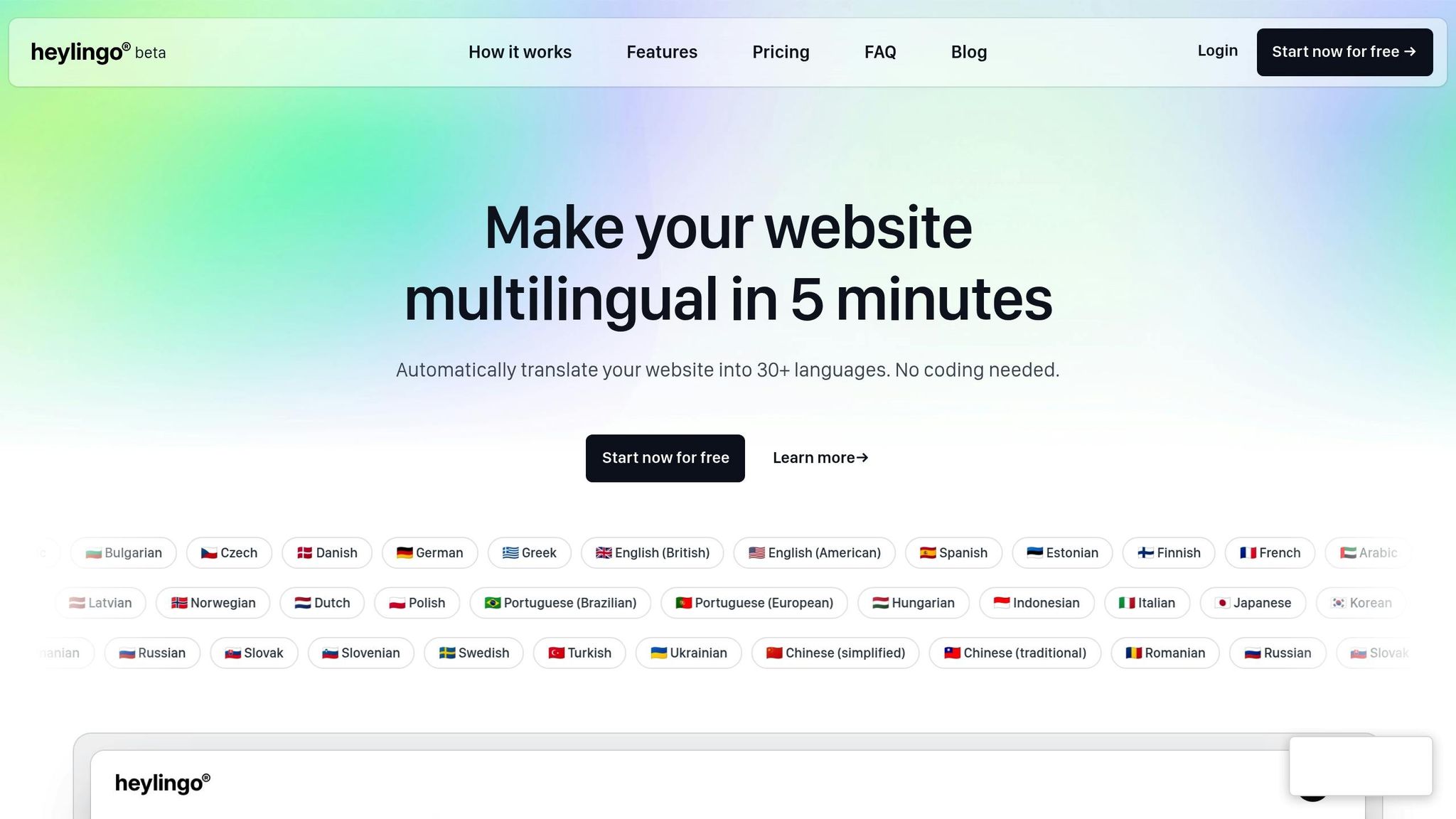
If your business operates in Europe, aligning with GDPR rules is non-negotiable. Heylingo offers tools specifically designed to simplify GDPR compliance. It automates much of the process, ensuring your site meets European data protection standards. However, even with tools like Heylingo, it’s a good idea to regularly review your legal pages to ensure they remain accurate and up-to-date.
Create a System for Regular Updates
Keeping your website translations in sync with your latest content is essential. Without regular updates, inconsistencies can creep in, leaving users with outdated or inaccurate language versions. This not only affects their experience but can also damage your brand's credibility.
The solution? A well-structured system that combines automation for speed with human oversight for accuracy. This ensures translations stay up-to-date and culturally appropriate without unnecessary delays.
Set Up Automatic Updates for New Content
One of the best ways to stay current is through real-time translation. Automated systems can instantly synchronize new content across all language versions, eliminating the frustrating lag where English content is live, but translations are still pending.
Tools like Heylingo make this process seamless. Supporting over 30 languages, Heylingo integrates with virtually any CMS or custom platform - no coding required. Whether you're updating blog posts, product descriptions, menus, or banners, this system handles it all in real time.
To keep things organized, define content detection rules. For example, you might want product descriptions and blog posts translated immediately, while legal pages or marketing campaigns undergo manual review first. Many platforms allow you to set these rules based on content type, page location, or tags.
For critical or time-sensitive updates, use staging environments to review translations before they go live. This lets you batch-approve changes or set specific content types to auto-publish after translation.
Finally, CMS integrations streamline the process. When you update your inventory, publish a new blog post, or tweak a service description, API connections ensure translations are automatically applied across all language versions.
Schedule Regular Content Reviews
While automation handles speed, human reviews ensure quality. Regular checks are vital for maintaining accuracy and cultural relevance, especially for content tailored to U.S. audiences with specific measurements, references, or conventions.
Plan for format consistency checks during these reviews. Confirm that dates use the MM/DD/YYYY format, prices include dollar signs, measurements are in feet and inches, and phone numbers follow U.S. standards. These small details can make a big difference in user experience.
A review calendar can help you stay organized. For instance, if you publish weekly blog posts, schedule a monthly translation review. E-commerce sites with frequent product updates might need bi-weekly checks, while high-traffic pages like homepages or product categories could require weekly attention.
Assigning team roles makes this process more manageable. Have industry experts review technical content, while marketing team members focus on promotional materials and blog posts. This division of labor ensures every piece of content gets the attention it needs.
To measure the effectiveness of your translations, monitor engagement and bounce rates. If certain translations consistently underperform, it may signal the need for a deeper cultural adaptation rather than just a literal translation.
Using change logs can save time during reviews. These logs track what content has been updated since your last check, allowing you to focus only on the areas that need attention. Many translation platforms include dashboards that display recent changes and the current translation status.
Lastly, prioritize compliance updates in your reviews. U.S. privacy laws, accessibility standards, and industry regulations often change. Ensure your legal pages, privacy policies, and compliance statements are not only up-to-date but also consistent across all translated versions. This attention to detail helps maintain trust and avoid legal complications.
Conclusion
Translating your website requires careful technical preparation and thoughtful adaptation to local expectations. The eight tasks outlined in this checklist work together to create a smooth, localized experience that resonates with American audiences, driving engagement and boosting conversions.
Every step - from structuring your website and configuring formats to leveraging AI-powered tools and ensuring legal compliance - contributes to building a localized experience that goes beyond mere translation. A solid foundation with proper U.S. formatting, the right AI tools, and well-organized content transforms simple translations into a meaningful connection with your audience.
Each element is essential. Content organization and style guides ensure your translated pages remain consistent, while cultural adaptation bridges the gap between literal translation and messaging that truly connects with U.S. users. Multilingual SEO optimization ensures your content performs well in American search results, and thorough testing identifies and resolves formatting issues before they affect user experience.
Legal compliance safeguards your business and fosters user trust, while establishing regular update systems ensures your content stays relevant as it evolves. Together, these tasks create a localized experience that feels natural and professional.
Heylingo simplifies this process with advanced AI translation and seamless integration. Whether you manage a small business website or a large e-commerce platform, combining automated efficiency with manual editing ensures your U.S. audience receives content that feels native and polished.
Investing in proper website localization pays off with increased engagement, higher conversion rates, and enhanced credibility. By following these eight key steps, you're not just translating content - you’re delivering a digital experience that speaks directly to your American audience.
FAQs
How can I make sure my website translation meets U.S. cultural and legal standards?
To make sure your website translation meets U.S. standards, it's important to focus on specific localization details. Use the U.S. currency format (e.g., $1,234.56), the MM/DD/YYYY date format, and imperial units for measurements like inches and pounds. Numbers should follow the U.S. convention with a decimal point (e.g., 1,000.50), and temperatures must be shown in Fahrenheit.
Stick to American spelling (e.g., 'color' rather than 'colour') and adjust the tone, idioms, and imagery to align with U.S. cultural norms. It’s also essential to review your site for compliance with U.S. data privacy laws, such as GDPR if applicable, and ensure it meets accessibility standards to accommodate all users.
How can I ensure consistent content across multiple languages when translating a website?
To keep your content consistent across different languages, begin by setting up a well-organized multilingual site structure tailored to each language. Rely on localized glossaries and style guides to ensure consistent terminology and tone throughout. It’s also a good idea to use a multi-step review process that includes both language and cultural experts. This approach helps catch mistakes and ensures the translation reflects your brand’s voice while resonating with your target audience.
Why should I use AI-powered translation tools, and what key features should I look for?
AI-powered translation tools have become a game-changer for handling large-scale translations while ensuring consistent quality. By automating much of the process, they significantly cut down the time it takes to translate content, freeing you up to concentrate on other critical aspects of website localization.
When selecting a translation tool, prioritize features that matter most to your needs. Look for options that let you tailor translations with industry-specific terminology, integrate smoothly with your website, and account for cultural subtleties. These features are key to delivering a localized experience that feels natural and user-friendly for your global audience.