Top 7 AI Tools for Translation Review 2025
Looking for the best AI tools for translation? By 2025, over 75% of global companies relied on AI to cut translation time and costs. These tools combine machine efficiency with human review to ensure accurate, context-sensitive translations. Whether you're translating product descriptions, legal documents, or localizing websites, these tools can help:
- DeepL: Known for its context-aware translations, glossary function, and high accuracy in European languages.
- Google Translate: Offers extensive language coverage (189 languages) and fast processing, but less reliable for professional content.
- Microsoft Translator: Integrates seamlessly with Microsoft tools, supporting 179 languages with secure options for regulated industries.
- Heylingo: Simplifies website localization with real-time translations and manual review tools.
- Smartling: Ideal for large-scale projects with advanced quality controls and dynamic workflows.
- LILT: Focuses on real-time learning for consistent terminology and style across 445 language pairs.
- SYSTRAN: Offers secure on-premise deployment for industries needing strict data control.
Quick Comparison:
| Tool | Best For | Language Support | Key Features | Starting Price |
|---|---|---|---|---|
| DeepL | European markets | 36 | Glossaries, tone adjustment, API | $8.74/month |
| Google Translate | Broad language coverage | 189 | Adaptive translation, MTQP scores | Free/$20 per 1M chars |
| Microsoft Translator | Microsoft ecosystem | 179 | Custom models, tone selection | Free/$10 per 1M chars |
| Heylingo | Website localization | 30+ | Real-time translation, review dashboard | $11/month |
| Smartling | Large-scale localization | Unlimited | Quality Confidence Score™, workflows | $0.0075 per word |
| LILT | Precision & security | 445 | AI learning, QA checks | Custom pricing |
| SYSTRAN | Data-sensitive industries | Custom | On-premise deployment, secure tools | Custom pricing |
For businesses, combining manual vs automatic translation through human post-editing ensures polished translations that meet professional standards. Choose the right tool based on your project's scale, language needs, and security requirements.
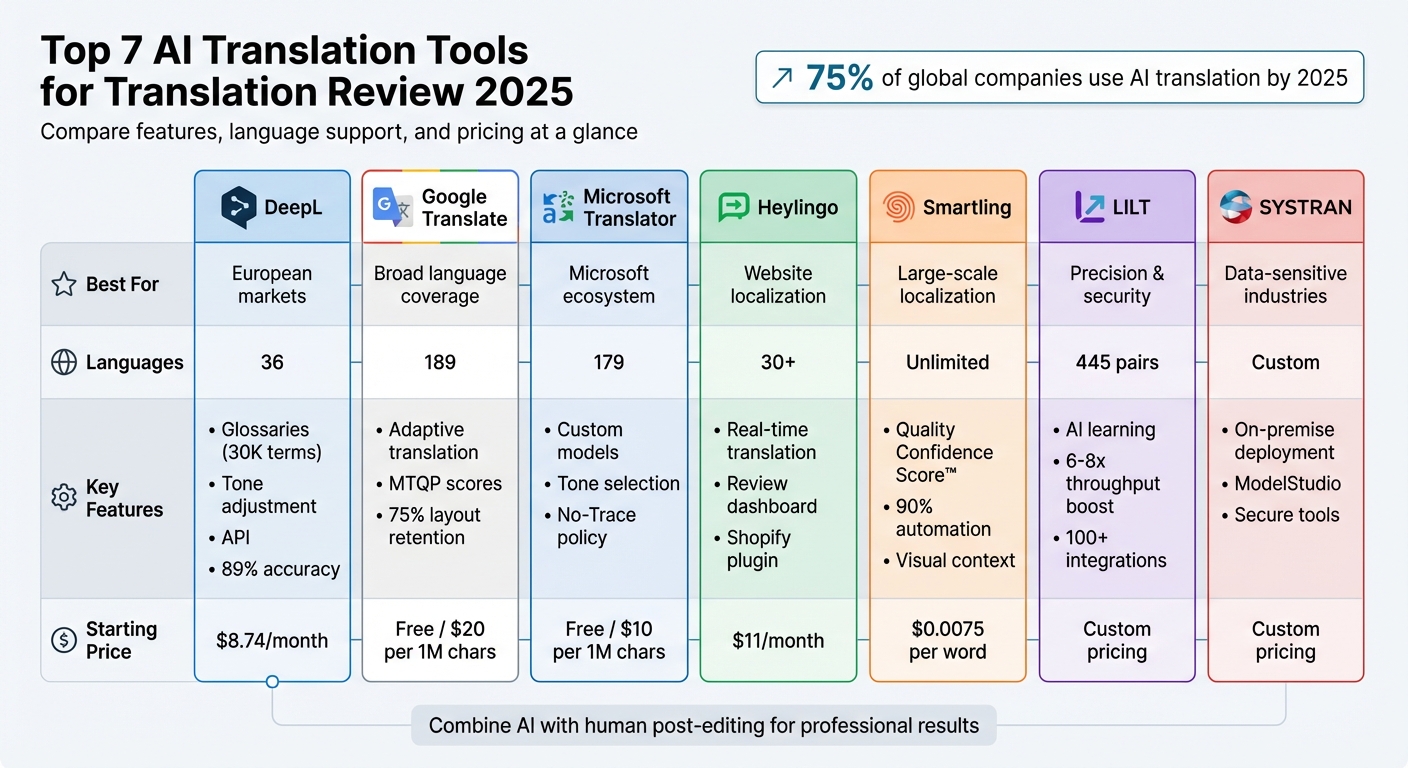
AI Translation Tools Comparison 2025: Features, Languages & Pricing
Top 10 AI Translation Tools You MUST Try in 2025! (DeepL vs Google Translate & More)
sbb-itb-8482ffa
1. DeepL
DeepL stands out among AI translation tools by offering a mix of context-sensitive translations and features tailored for thorough review. As of 2025, it ranks as the second most visited AI translation tool. What makes DeepL unique is its context-aware neural machine translation, which focuses on capturing tone and nuance rather than sticking to rigid, word-for-word translations. In blind tests, users preferred DeepL’s translations 1.3x more than Google Translate and 1.7x more than ChatGPT-4. Its overall accuracy is about 89%, with an impressive 91.5% accuracy in verb valency, far surpassing Google Translate's 57.4%. These strengths directly address challenges like maintaining nuance and ensuring consistency in large-scale translations.
Key Features
DeepL offers several features designed to refine translations and improve workflow:
- DeepL Write: This AI writing assistant polishes translations, improving fluency, tone, and style for specific audiences.
- Glossary Function: Users can define up to 30,000 terms - like brand names or technical jargon - to ensure consistency across projects.
- Tone Adjustment: A formal/informal toggle helps tailor translations in languages with grammatical tone distinctions.
- Document Layout Preservation: Supports multiple formats (Word, PDF, PowerPoint, Excel, and SRT) without compromising formatting.
For added convenience, DeepL provides browser extensions for Chrome and Edge, as well as desktop shortcuts like the double-copy function (Ctrl/Cmd + C) for instant translations. A practical example of its effectiveness is Sarah, a fashion e-commerce entrepreneur who used the DeepL API in 2024 to translate 3,000 product descriptions into French, German, and Spanish. By integrating the API with her Shopify store and conducting random quality checks, she found the translations 94% accurate. This strategy helped her expand into three European markets, generating $85,000 in revenue within three months.
Supported Languages
DeepL supports 36 languages, excelling in European languages such as German, French, Spanish, and Italian. While it doesn’t match Google Translate’s 133+ language options, DeepL focuses on delivering high-quality translations. It’s trusted by 82% of language service providers for reliable output in these languages. However, it struggles with non-European languages like Arabic, Korean, and Mandarin.
Best Use Cases
DeepL is particularly effective for businesses targeting European markets, with general translation accuracy rated between 92-95% for common language pairs. It’s ideal for translating business documents, marketing content, and technical materials that require precise tone and flow. A 2024 Forrester study reported that DeepL delivered a 345% ROI for global companies, cutting translation time by 90% and reducing workloads by 50%. For industries like legal, finance, or tech, setting up glossaries early - starting with at least 50 core terms - can significantly reduce manual adjustments during reviews.
Pricing Plans
DeepL offers flexible pricing to accommodate different needs:
- Free Plan: Includes basic text translations (1,500–3,000 character limit per request) and up to 3 non-editable document translations per month.
- Pro Plans: Starting at $8.74 per month (billed annually), these plans provide unlimited text translations, higher document limits, and advanced security features compliant with GDPR, ISO 27001, and SOC 2 Type II standards.
- DeepL Write Pro: Available for $10.99 per user/month (billed annually), offering unlimited tone and style rewrites.
- API Access: Includes a free tier for up to 500,000 characters per month, with a pay-as-you-go Pro option starting at $25 per 1 million characters.
Next, we’ll take a closer look at how other leading tools perform.
2. Google Translate
Google Translate continues to stand out as a prominent AI translation tool in 2025, offering support for 189 languages through its Cloud Translation AI system. It scores 7.9/10 for accuracy with common language pairs, but independent tests by Lokalise gave it a 2.3/5 for handling critical content. This makes it more suitable for getting the general idea of a text rather than delivering translations of professional quality. Its strengths lie in its broad language coverage and fast processing - PDF translations take just 30 seconds to 2 minutes, retaining around 75% of the document's original layout. These capabilities are paired with several notable features.
Key Features
Google Translate provides both a free tool for everyday users and an enterprise-level Cloud Translation API. The API uses Translation Large Language Models (TLLM) for Adaptive Translation, which adjusts to unique styles and tones with just a few example translation pairs. Additionally, the Translation Hub offers a dedicated portal for post-editing, where users can edit segments, apply glossaries, and update translation memory directly.
One standout feature is the Machine Translation Quality Prediction (MTQP), which assigns scores to translation segments, helping reviewers focus on areas that need the most attention. This feature currently supports 10 major language pairs, including English paired with Arabic, Chinese, French, German, Hindi, Italian, Japanese, Portuguese, Russian, and Spanish.
Google Translate also supports real-time conversation, image translations via OCR, and voice-to-text input. For businesses, AutoML Translation allows custom model training tailored to specific industries. Integrated glossary support ensures consistent terminology across projects.
Supported Languages
With its Cloud API, Google Translate covers over 180 languages, the widest range in the industry. Of these, 133+ languages are available for consumer use. Its extensive language support makes it especially useful for translating less commonly spoken languages like Lingala or Quechua. For enterprise users, the Cloud version offers GDPR-compliant security and ensures customer data isn't used for training its models.
Best Use Cases
Google Translate is best suited for internal communication, quick translations, and projects involving less common languages. Businesses can use the Translation Hub to process large volumes of documents while maintaining layout integrity. MTQP scores can then help identify sections that need human review. For industry-specific needs, uploading custom glossaries to the Cloud Translation API can minimize post-editing corrections.
However, the tool may fall short for marketing or technical content, where precise language and context are critical. Literal translations can sometimes miss subtle nuances, making it less effective for these types of projects. Still, its speed and broad accessibility make it a valuable tool when paired with advanced post-editing workflows.
Pricing Plans
The consumer version is completely free for both web and mobile platforms. For enterprise users, the Cloud Translation API offers the first 500,000 characters per month at no cost, with additional usage priced at $20 per million characters. Adaptive Translation costs $25 per million input characters and $25 per million output characters, while Translation LLM is priced at $10 per million characters.
The Translation Hub includes two tiers: the Basic tier charges $0.15 per page per target language, while the Advanced tier costs $0.50 per page and includes features like human review and MTQP scores. This flexible pricing structure makes it accessible for a variety of workflows.
3. Microsoft Translator
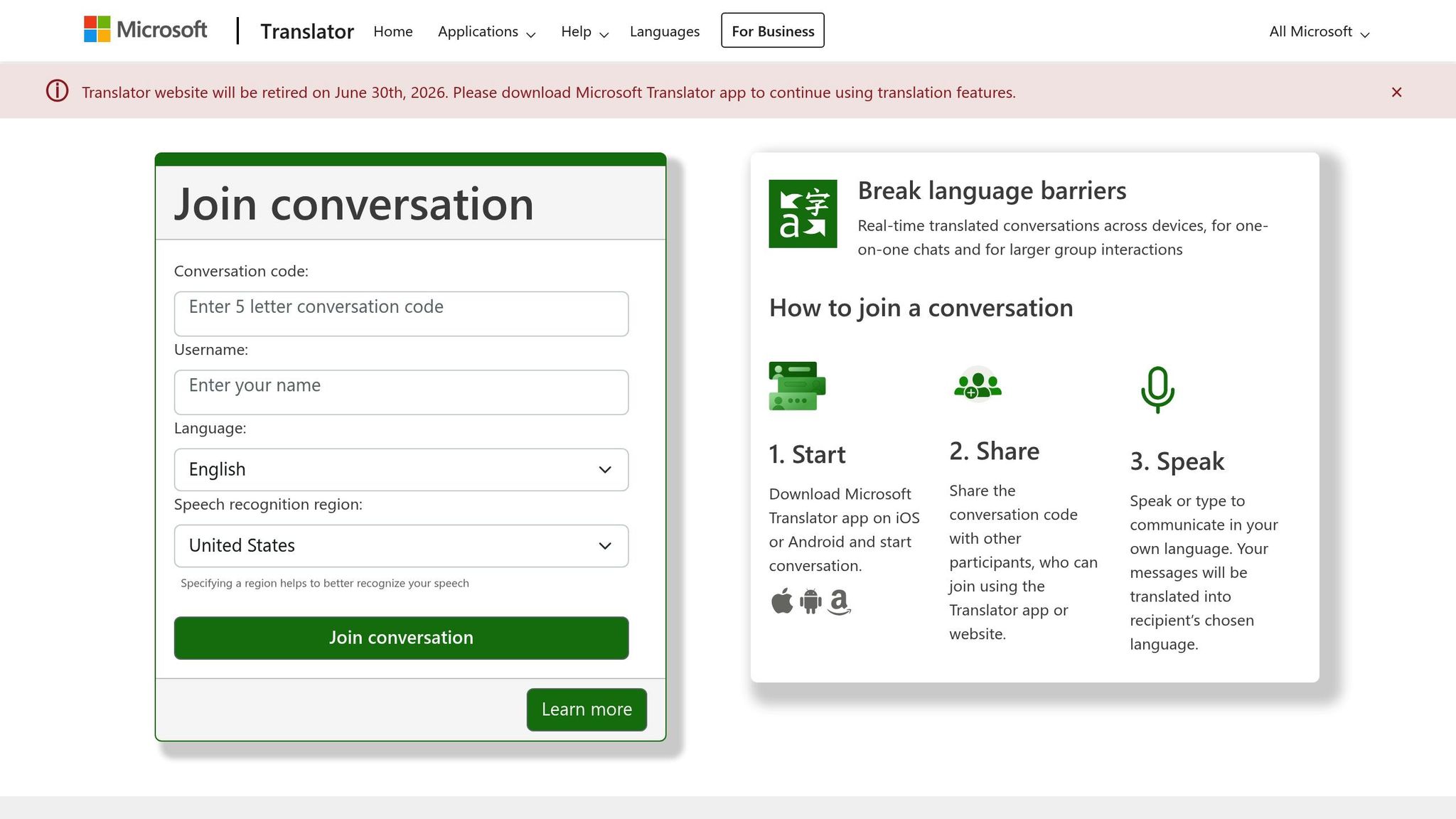
Microsoft Translator supports an impressive 179 languages as of 2025, making it a popular choice among Microsoft users. It earned a 4/5 overall rating from AgentAya, with particular recognition for its seamless integration with Microsoft tools like Word, PowerPoint, Outlook, Teams, and SharePoint. However, accuracy testing by Lokalise scored it at 3.2/5, suggesting it’s better suited for internal communications than for marketing content requiring creative finesse.
Key Features
Microsoft Translator offers some standout tools. The Custom Translator allows users to create industry-specific neural models using parallel documents (like TMX, XLIFF, DOCX, and XLSX). Meanwhile, the Document Translation feature retains the original layout for Word, PDF, PowerPoint, and Excel files. This minimizes the need for manual adjustments after machine translation, streamlining workflows before human reviewers step in. Additionally, the tone selection feature lets users choose between formal, informal, or neutral styles to align with their brand voice.
For enterprise users, Microsoft’s "No-Trace" data policy ensures sensitive content isn’t stored or used for model training. Other helpful tools include an integrated bilingual dictionary for contextual suggestions and transliteration support for converting characters between writing systems. It processes translations at an average speed of 0.26 seconds, and AgentAya rated its ease of use and language support a perfect 5/5.
Supported Languages
Covering 179 languages, Microsoft Translator surpasses many competitors in language range. It also meets compliance standards like HIPAA, ISO 27001, SOC, and FedRAMP, making it a strong option for industries with strict regulatory requirements, such as healthcare and finance. The free tier allows up to 2 million characters per month, offering a generous entry point for teams exploring the tool’s capabilities. With its broad language support and enterprise-friendly features, Microsoft Translator integrates smoothly into professional workflows.
Best Use Cases
Microsoft Translator is an excellent choice for small and medium-sized enterprises (SMEs) needing quick, secure translations, especially within the Microsoft ecosystem. It’s particularly effective for internal documentation and real-time collaboration through tools like Teams and SharePoint, where users can translate and review content directly. The Custom Translator feature is especially useful for specialized industries - uploading proprietary glossaries helps reduce terminology errors that might otherwise slip through.
That said, the tool struggles with idioms and colloquial expressions, often defaulting to literal translations. This makes it less ideal for creative or literary projects unless significant custom model training is applied. For technical documentation, HR materials, or financial reports where accuracy and security take precedence over creative language, Microsoft Translator performs reliably.
Pricing Plans
Microsoft Translator’s pricing structure is flexible enough to accommodate a range of needs. The free tier includes 2 million characters per month, while standard usage costs $10 per million characters. For larger-scale enterprise commitments, pricing starts at $2,055 for 250 million characters. Additional fees may apply for Custom Translator model training and hosting. These options provide cost-effective solutions for businesses managing global translation demands.
4. Heylingo
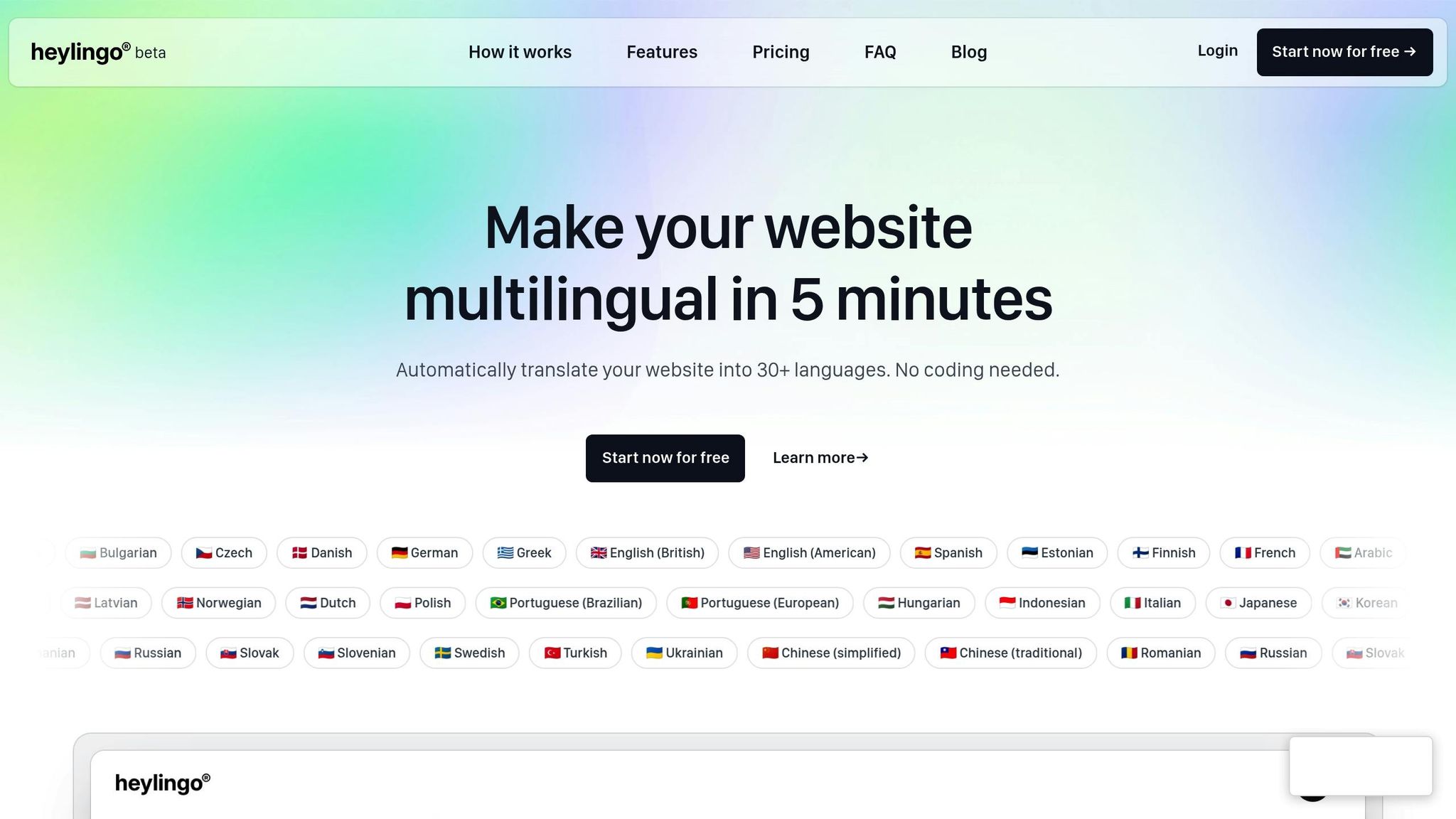
Heylingo focuses on making website localization simple and efficient for businesses looking to go multilingual. It can translate websites into more than 30 languages automatically. Plus, its easy-to-use dashboard lets teams review, tweak, and perfect translations before they’re published. By offering tailored AI translation tools, Heylingo simplifies the localization process for companies aiming to reach a global audience.
Key Features
Heylingo delivers a smooth localization experience with a lightweight integration process - no coding or site redesign required. Once installed, it identifies and translates all website content in real-time, including dynamic elements and single-page applications, using fast CDN servers. Teams can fine-tune translations through an intuitive manual editing interface, ensuring the tone and terminology align with the brand. With support for unlimited users, it enables seamless collaboration between marketing teams, translators, and subject experts.
Supported Languages
Heylingo supports translations in over 30 languages, covering major global markets. It also complies with GDPR requirements, ensuring secure data handling and high privacy standards.
Best Use Cases
Heylingo is perfect for small to medium-sized businesses, startups, and e-commerce platforms aiming to expand internationally. Its Shopify plugin makes it especially convenient for online stores, while the review dashboard ensures consistent branding across multiple languages.
Pricing Plans
Heylingo offers flexible, character-based pricing for a single website, making it easy to scale costs based on your needs. Plans include:
- Starter: About $11/month for 100,000 characters (roughly 20,000 words) - great for small websites.
- Pro: Around $32/month for 300,000 characters (about 60,000 words) - ideal for growing websites.
- Business: Approximately $54/month for 600,000 characters (around 100,000 words) - designed for medium-sized sites.
- Scale: About $76/month for 1,000,000 characters (roughly 200,000 words) - a popular choice for larger websites.
All plans come with access to 30+ languages, unlimited team members, and full use of the review dashboard.
5. Smartling

Smartling is a translation management system designed for large-scale, multi-language projects. By blending AI-driven automation with human expertise, it simplifies translation workflows, ensuring high-quality results. Recognized as the #1 enterprise translation management platform on G2 for 20 consecutive quarters, Smartling is a go-to solution for global brands tackling complex localization demands.
Key Features
Smartling offers some standout tools to enhance translation quality and efficiency:
- The Quality Confidence Score™ employs machine learning to evaluate translation quality in real-time across all projects, languages, and providers. This allows teams to focus on the content needing the most attention.
- Built-in Linguistic Quality Assurance (LQA) tools come with customizable error categories, helping teams measure performance against service agreements.
- A visual context feature provides a "what-you-see-is-what-you-get" (WYSIWYG) interface, letting reviewers see translations as they’ll appear in the final design. This prevents layout issues like truncation or misalignment.
- Dynamic Workflows automate tasks such as routing content, assigning jobs, and managing approvals. Many users report automating over 90% of their translation processes with this feature.
- The NMT Hub selects the best machine translation engine for each content type, improving translation quality by up to 350% using a multi-engine approach.
These features make Smartling a powerful tool for managing complex, multi-language projects efficiently.
Supported Languages
Smartling supports unlimited language pairs, making it suitable for end-to-end localization. Its AI Hub integrates over 20 Large Language Models, including GPT, along with various machine translation engines. This flexibility allows users to customize solutions for speed and cost efficiency. According to Smartling, their AI tools can reduce translation workloads by as much as 90%.
Best Use Cases
Smartling is particularly effective for Machine Translation Post-Editing (MTPE) workflows. Here, AI handles the initial translation, while human experts refine the output for accuracy and cultural nuances. This makes it an excellent choice for businesses requiring automated project management with advanced quality controls.
"The vital role that Smartling plays in my day-to-day is efficiency. Now that I've mastered the platform and have automated most of our translation process, I'm able to spend my time on my main tasks at hand. It's a real game-changer." – Trinh Nguyen, Project Manager at Dialpad
Additionally, the Global Delivery Network (GDN) simplifies website localization, enabling real-time review and deployment of translated content without needing complex backend integrations. This feature helps users publish content 52% faster when paired with Smartling's professional translation services.
Pricing Plans
Smartling offers custom pricing based on translation volume and enterprise needs. Reports suggest costs start at $0.0075 per word. Machine translation is priced at about $0.000010 per character, while traditional human translation ranges from $0.15 to $0.30 per word. Full onboarding, including setup and configuration, typically takes up to 30 days.
6. LILT

LILT stands out among AI translation tools with its ability to adapt in real-time to your organization's specific terminology and style. Its Contextual AI Engine learns from every human correction, ensuring translations improve continuously. Unlike static tools, LILT combines adaptive neural models with human reviewers to refine outputs and retrain the system consistently. This human-in-the-loop approach ensures a balance of machine efficiency and human oversight.
Key Features
LILT's AI Review Automation flags potential errors and directs them to human linguists for review before final delivery. This step helps catch issues early in the process. It also includes built-in QA checks that analyze every segment of a document, while reviewers can log and annotate changes for better tracking. With 100+ native integrations for tools like CMS, GitHub, and Figma, LILT eliminates the hassle of manual file transfers. For organizations prioritizing data security, the platform offers SOC 2 Type II certification, GDPR compliance, and deployment options like on-premise or air-gapped setups.
Supported Languages
LILT supports 445 language pairs, powered by its advanced Contextual AI models trained on 1.3 billion parameters. These models adapt to specific terminology dynamically. For languages not fully supported by AI, LILT offers Extended Language Support with human verification in 14 additional languages, including Amharic, Icelandic, Khmer, and Zulu.
Best Use Cases
LILT is ideal for industries where precision and security are critical. For example:
- Intel: Achieved a 40% reduction in translation costs while doubling content production, with their team working 3-5x faster.
- Lenovo: Used 60+ domain-specific AI models across 39 languages, cutting costs by 50% and speeding up delivery timelines by 60%.
- National Weather Service: Translates urgent weather alerts into multiple languages, reaching over 25 million people quickly.
The platform delivers a 6-8x boost in throughput compared to traditional methods and can reduce staffing needs for multimedia tasks by up to 80%.
Pricing Plans
LILT uses a flat-rate pricing model tailored to enterprise needs. Pricing depends on translation volume and specific requirements, making it a better fit for large organizations rather than individual freelancers or smaller projects. The platform has earned a 4.5/5-star rating from over 100 user reviews.
7. SYSTRAN
SYSTRAN stands out as a solution designed for organizations with strict data security needs. By focusing on on-premise deployment, it ensures all translation processes occur entirely within your IT environment - keeping sensitive data safe and away from external servers.
Key Features
SYSTRAN's on-premise deployment is perfect for organizations that need to keep their translation workflows secure and within their own infrastructure. This is especially important for handling classified information, proprietary research, or content restricted by geographic boundaries. Key tools include:
- Translating Editor: Helps streamline review workflows.
- ModelStudio: Allows customization of translation models and dictionaries to align with your specific terminology.
- Auto-detection of source languages: Simplifies the translation process.
- Indirect language pairing: Expands translation capabilities across multiple languages.
Best Use Cases
SYSTRAN shines in industries where data security is non-negotiable. It’s particularly useful for:
- Government agencies: Translating classified documents securely.
- Defense contractors: Managing sensitive technical specifications.
- Healthcare organizations: Handling patient records that must comply with strict privacy laws.
If your organization has compliance requirements that rule out cloud-based solutions, SYSTRAN provides a reliable way to keep everything in-house.
Pricing Plans
SYSTRAN uses an enterprise licensing model tailored for on-premise deployments. Pricing depends on factors like the number of users, required language pairs, and the deployment's overall scale. This structure makes it a better fit for larger organizations with dedicated IT resources. Costs typically cover licensing and ongoing server maintenance.
Conclusion
AI translation tools have become essential for global expansion, allowing organizations to process thousands of words in seconds instead of waiting weeks for manual translations. These tools now go beyond basic word-for-word translations - they interpret context, maintain nuance, and ensure your brand's voice is consistent across different markets.
Selecting the right tool depends on your business needs. For instance, if you're translating marketing content for European audiences, DeepL's natural phrasing - preferred 1.3x more often than Google Translate in blind tests - might be your best option. On the other hand, Google Translate is ideal for quick, accessible translations across 130+ languages. Enterprise teams managing complex projects like software localization often turn to Smartling or LILT, which offer adaptive engines and workflow automation. For organizations dealing with sensitive data, such as in healthcare or government, SYSTRAN provides on-premise security. And if you want a multilingual website without technical hassle, Heylingo translates your site into 30+ languages in just five minutes, requiring no coding.
To maximize results, successful localization strategies combine AI efficiency with human expertise. Experts highlight that advanced tools can interpret context, adapt to industry-specific terminology, and deliver precise results. For example, companies using platforms like XTM Cloud have reported saving up to 2,000 hours in translation time while maintaining 98% accuracy.
Before committing to a tool, test it with your actual content - whether it's legal contracts, UI strings, or marketing emails. Free trials are a great way to evaluate how well a platform handles your specific terminology and formatting. Be cautious with "free" plans, as they might strip formatting or store your data for AI training. For high-stakes materials like legal documents or creative campaigns, incorporate human post-editing to refine cultural nuances that AI may overlook. This extra step ensures your localization strategy remains flexible and effective.
The competition among translation tools is fierce. The key is finding the one that delivers faster, more accurate, and cost-efficient solutions for your global reach.
FAQs
When should I add human post-editing to AI translations?
Human post-editing plays a crucial role when accuracy and quality are non-negotiable. This is especially true for content that demands a deep understanding of nuance, sensitivity to context, or precision - think legal documents, medical texts, or marketing campaigns. Post-editing helps refine fluency, fix errors, and ensure the translation fits the intended context. It's indispensable in cases where machine translations fall short of delivering polished, audience-ready content.
How can I test an AI translation tool with my own content?
To test an AI translation tool, start by preparing your content in the format you want, making sure to include any specific layout or formatting requirements. Once ready, upload or input the content into the tool and run the translation. Afterward, carefully review the output to check for accuracy, context, and formatting consistency. Compare the translated version with your original text, paying close attention to how well it handles terminology and subtle nuances. This will help you determine if the tool delivers the quality you're looking for.
What security checks are important for sensitive translations?
For translations involving sensitive content, it's crucial to prioritize security. Start by reviewing the vendor’s data handling policies, including how they manage retention, training, and access controls. Look for features like no-training options, clear deletion mechanisms, and audit logs to track activity.
Classify your data based on sensitivity levels, and limit access to critical materials accordingly. Many enterprise-grade platforms offer robust privacy controls and compliance measures, which help safeguard against data leaks, unauthorized access, and breaches of confidentiality - especially for regulated or highly confidential documents.