Scaling Translation Workflows with Automation
Manual translation processes are slow, error-prone, and can't keep up with the demand for multilingual content. Here's the solution: automation. By automating repetitive tasks like file transfers and quality checks, companies can reduce costs, speed up delivery, and maintain accuracy. For example, Secret Escapes cut translation time by 25%, and Therabody reduced costs by 60% while achieving a 99.7% on-time delivery rate.
Key takeaways:
- Global reach requires scale: Supporting 45 languages covers 95% of the world’s GDP.
- Manual processes create bottlenecks: Errors, delays, and inefficiencies hurt productivity and trust.
- Automation drives results: Faster turnaround, cost savings, and improved quality are achievable with the right tools.
This guide explains how to evaluate your current workflow, set measurable goals, and implement automation tools like Heylingo to streamline translation processes.
Translation Workflow Automation: Everything You Didn't Know You Wanted to Know
sbb-itb-8482ffa
Evaluating Your Current Translation Workflow
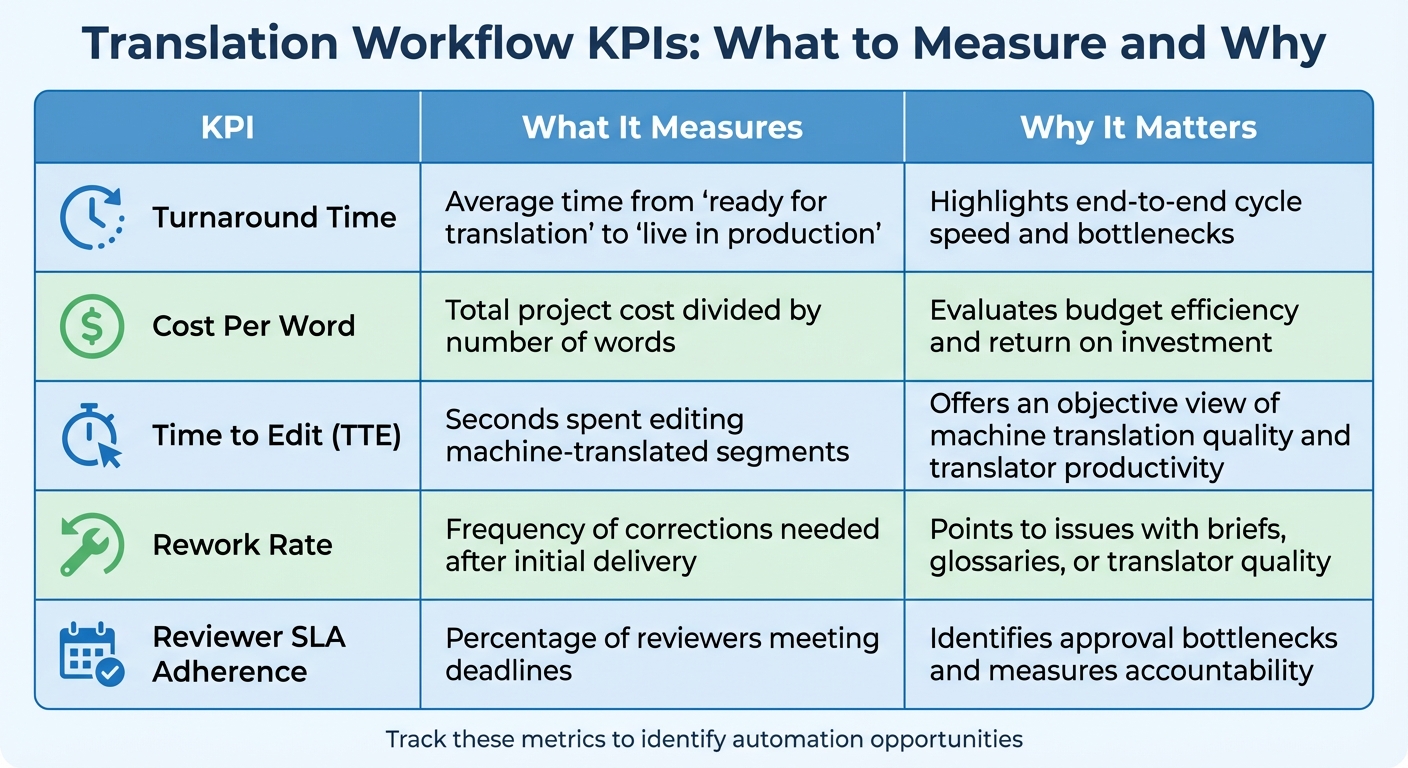
Translation Workflow KPIs: Metrics That Matter for Automation Success
Before diving into automation, take a step back and evaluate your current workflow. As Translated.com aptly states, "Automating a flawed process only gets you to the wrong destination faster". Start by auditing your workflow to identify areas that slow you down or cause errors.
Find Bottlenecks and Pain Points
Choosing between manual vs automatic translation is critical, as manual processes can be a major source of inefficiency. For example, if your content intake relies on manual steps, errors are almost inevitable. Similarly, when roles across teams - like marketing, legal, and product - aren't clearly defined, delays can pile up. Without clear handoff paths or approval responsibilities, translations can languish in limbo.
Another common issue is late-stage review cycles. If reviews are left until the end of a project rather than integrated throughout, errors often surface too late, leading to costly rework and missed deadlines. On top of that, manually updating your CMS increases the risk of content going unpublished or becoming unsynchronized. And relying entirely on manual quality assurance? That opens the door to technical errors like broken placeholders, formatting issues, or inconsistent terminology slipping through the cracks. These challenges are common when starting a website localization project without a structured plan.
To uncover these inefficiencies, document your entire workflow - from content intake to publication. Create a flowchart that maps out every step, involving all key stakeholders. Pay special attention to manual touchpoints, like files shared via email or drives, as these often lead to version control errors, delays, and inconsistencies.
Spotting these issues is just the beginning. The next step is to measure their impact to guide your improvements.
Measure Workflow Performance
Quantifying your workflow's performance gives you clear targets for improvement. Start by tracking turnaround time - the average time it takes for content to move from "ready for translation" to being live. This can help you pinpoint bottlenecks. Calculate cost per word by dividing the total project cost by the word count, which reveals how efficiently you're spending your budget. Keep an eye on the rework rate, which shows how often translations require corrections. High rework rates often indicate problems with briefs, glossaries, or translator quality.
Another key metric is Time to Edit (TTE), which measures the seconds a professional translator spends refining machine-translated content. This provides a clear picture of machine translation quality and productivity. Monitoring reviewer SLA adherence - whether internal reviewers meet their deadlines - can help identify where delays occur. Lastly, track TM leverage, or the percentage of content matched and translated using Translation Memory, to assess cost savings and ensure consistency.
| KPI | What It Measures | Why It Matters |
|---|---|---|
| Turnaround Time | Average time from "ready for translation" to "live in production" | Highlights end-to-end cycle speed and bottlenecks |
| Cost Per Word | Total project cost divided by number of words | Evaluates budget efficiency and return on investment |
| Time to Edit (TTE) | Seconds spent editing machine-translated segments | Offers an objective view of machine translation quality and translator productivity |
| Rework Rate | Frequency of corrections needed after initial delivery | Points to issues with briefs, glossaries, or translator quality |
| Reviewer SLA Adherence | Percentage of reviewers meeting deadlines | Identifies approval bottlenecks and measures accountability |
Take Asana as an example. In 2024, they teamed up with Translated to integrate an AI-first workflow using TranslationOS. This allowed them to automate 70% of their localization process and cut manual effort by 30%. The result? Annual savings of $1.4 million in licensing, operational, and time costs. Achieving such results starts with a deep understanding of where your current workflow is falling short.
Once you've mapped out inefficiencies and measured their impact, you'll be ready to set precise, scalable goals for automation.
Setting Goals for Scalable Translation
Use insights from your workflow audit and performance metrics to establish clear, measurable targets. Without defined objectives, automation might not deliver the improvements you're aiming for.
Create SMART Goals
Set SMART goals - Specific, Measurable, Achievable, Relevant, and Time-bound - to address workflow inefficiencies. Instead of vague ambitions like "improve translation efficiency", focus on concrete outcomes. For instance, aim to cut turnaround times by 50% within six months or set financial goals based on your current cost data. These objectives should prioritize automating repetitive tasks such as file transfers, email coordination, and spreadsheet management.
Think about what automation can realistically accomplish. Studies suggest that 60% of employees could save 30% of their time through workflow automation. If your team spends hours weekly on manual tasks like file handling, setting a goal to recover that time using API-driven integrations is both realistic and impactful. For example, one language service provider used API integrations to link directly with client systems and invoicing platforms, eliminating manual file transfers. This change saved the team 50 to 100 hours per week, enabling them to handle more projects without increasing staff.
Another effective goal is to scale content production without needing additional headcount. Automation makes it possible to manage 10x the content volume by streamlining the entire content lifecycle, from file preparation to task assignment and delivery. For example, a wellness brand replaced manual translation processes with AI-driven workflows, achieving a 60% reduction in translation costs and a 99.7% on-time delivery rate. Similarly, a global enterprise automated project assignments and file transfers across 150 countries, reducing turnaround times by four weeks within just a few months.
To track progress, use specific KPIs like Cost Per Word to show ROI, Turnaround Time to measure efficiency, and Errors Per Thousand (EPT) to monitor quality risks. For machine translation workflows, tracking Time to Edit (TTE) - how long it takes a translator to refine machine-generated content - can provide a clear picture of both quality and productivity. Automated quality assurance checks can also save up to 84% of time and resources compared to manual reviews.
Once you’ve defined your goals, shift your focus to building workflows that can adapt to future needs.
Plan for Long-Term Scalability
While SMART goals help you achieve immediate improvements, long-term scalability ensures your workflows keep up with growth. Short-term wins are important, but your strategy should also prepare for evolving business demands. Build workflows that improve with each translation cycle, becoming faster and more cost-efficient over time, rather than relying on a "set it and forget it" approach.
Flexibility is key to scalability. Design workflows that adapt to different content needs - legal documents might require full human review, while internal support articles could rely more on machine translation. Keep your system vendor-neutral to avoid being tied to a single language service provider as your requirements change. Centralize resources like translation memories, glossaries, and style guides to maintain consistency as you grow.
Lastly, schedule quarterly reviews of your automation strategy to ensure it aligns with your evolving goals and market demands. What works for five languages today might need adjustments when you're managing twenty languages next year.
Using Automation Tools for Translation
Once you've set your scalability goals, the next step is selecting the best website translation tools to help you achieve them. The right automation platform can take over repetitive tasks, allowing your team to focus on strategy and maintaining quality. This approach directly tackles the inefficiencies of manual translation processes.
What Is Heylingo?
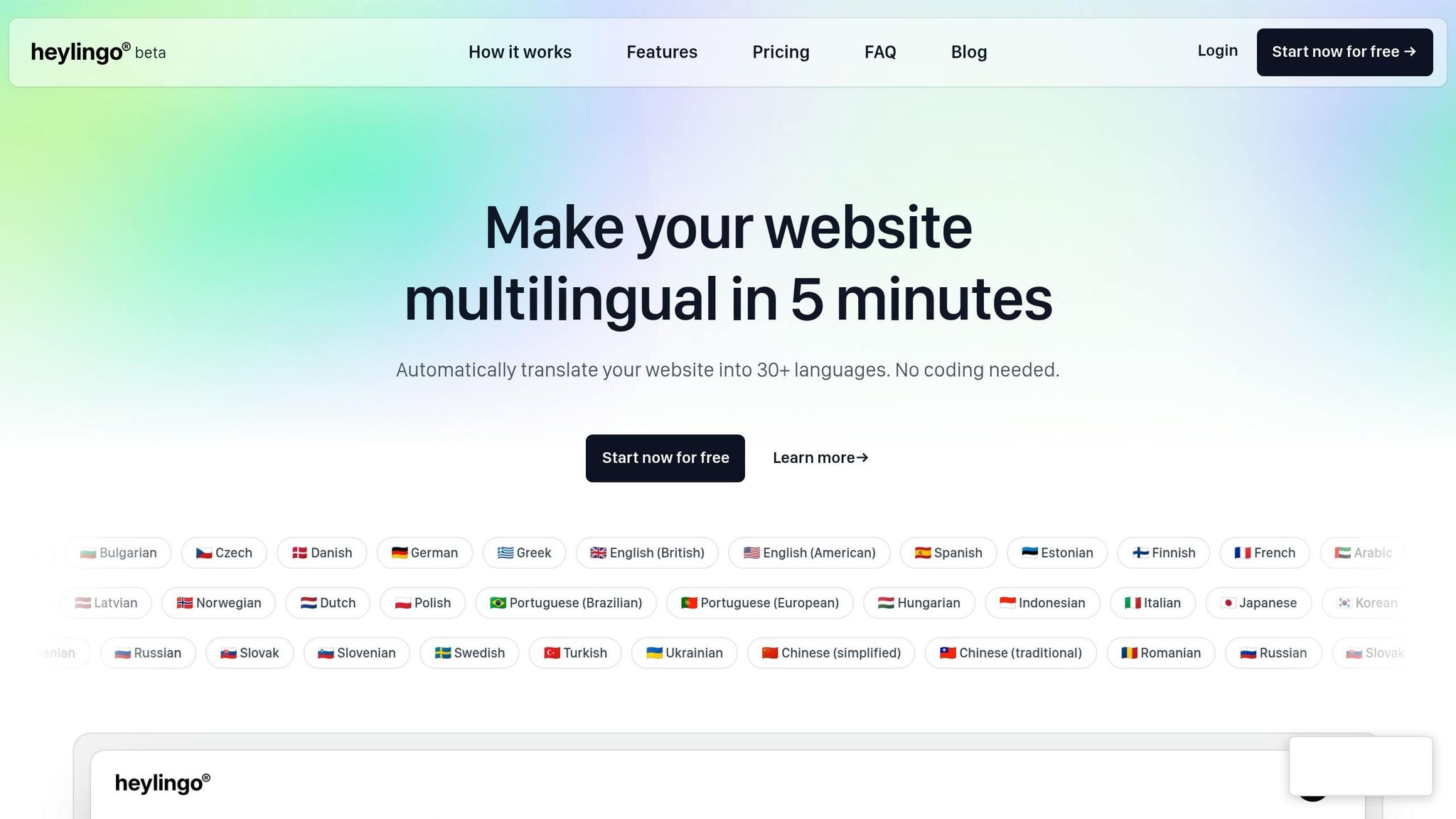
Heylingo is a no-code platform designed to make website translation quick and simple. It enables you to turn any site multilingual in just five minutes. Instead of relying on developers to build complex internationalization frameworks, Heylingo uses a lightweight JavaScript snippet that you add to your website's header. This snippet automatically detects content, fetches AI-powered translations in real time, and delivers them through a global CDN to keep page load times fast.
The platform is compatible with any CMS or custom HTML website, including WordPress, Shopify, Webflow, or single-page applications. There’s no need for plugins or technical configurations. Additionally, all data is processed on GDPR-compliant servers in Germany, and Heylingo avoids using cookies or third-party trackers. By integrating this tool, your translation workflow becomes both scalable and efficient.
Key Features and Benefits
Heylingo offers features that simplify and speed up the translation process, ensuring your content strategy can grow without added complexity.
- Automatic Content Detection: The platform continuously scans your site for new or updated pages, so you don’t have to manually export files or track changes. Translations load instantly as pages are accessed, with smart caching ensuring fast performance.
- Manual Refinement: If you need to adjust tone or terminology, the centralized dashboard allows you to overwrite AI-generated translations without touching your site’s code. This gives you control over key elements like headlines, product descriptions, and calls-to-action.
- Language Support and Pricing: Heylingo supports over 30 languages without charging extra per language. Instead, pricing is based on the number of characters translated, making it cost-effective as you expand into new markets.
- Collaboration: All paid plans include unlimited team members, enabling seamless collaboration across marketing, support, and localization teams.
This balance between automation and manual control solves a common problem: maintaining speed without compromising brand consistency. Studies show that 72.4% of shoppers are more likely to make a purchase when product descriptions are in their native language. Heylingo’s dashboard makes it easy to fine-tune translations for high-visibility content, helping you connect with a global audience.
Selecting the Right Plan
Heylingo offers a free tier with all features, making it easy to test the platform and evaluate its translation quality before committing to a paid plan.
- Starter Plan: At $10.70 per month, this plan covers 100,000 translated characters (about 20,000 words). It’s a good choice for small business websites, landing pages, or e-commerce stores with limited product catalogs.
- Pro Plan: For $31.00 per month, you get 300,000 characters (around 60,000 words), ideal for growing content libraries or blogs with frequent updates.
- Business Plan: Priced at $52.50 per month, this plan supports 600,000 characters (approximately 100,000 words), making it suitable for larger websites or online stores.
- Scale Plan: At $74.00 per month, this tier allows for 1,000,000 characters (roughly 200,000 words), perfect for high-volume sites or extensive product catalogs.
To keep costs manageable, you can monitor your character usage through the dashboard as your content grows. Since pricing is tied to the volume of translated content rather than the number of languages, you can expand to multiple markets without worrying about additional fees. This ensures your translation process scales smoothly alongside your business.
Automating and Optimizing Translation Workflows
Streamlining translation workflows is all about cutting out repetitive manual tasks while maintaining top-notch quality. By leveraging AI, you can automate routine processes and let your team focus on the content that truly matters. With the right tools, you can speed up your workflow while keeping accuracy intact.
Centralize Translation Assets
Centralizing your translation memories is a game changer. It minimizes repetitive work and trims costs. Start by auditing your content lifecycle to pinpoint manual steps - like those endless spreadsheet handoffs - and consolidate them. Move your existing translation memories and glossaries into a centralized platform. Once that's done, set up a feedback loop so every edit made by a linguist automatically updates the system. This way, your AI learns and improves in real-time.
You can also configure automation rules based on Translation Memory (TM) match thresholds. For instance, content with a 95% match can be published directly, while anything below that threshold can be flagged for human review. Finally, make sure these centralized assets integrate seamlessly with your content platforms.
Connect Automation Across Platforms
Imagine a system where new content is detected and translated automatically - that’s exactly what Heylingo’s snippet offers. It integrates with any CMS, eliminating the need for manual file management. For businesses juggling multiple platforms, this kind of integration can save serious time. A case study even showed a 25% reduction in translation time across multiple languages.
If your business runs on Shopify, Heylingo offers a plugin that translates product descriptions, checkout flows, and other e-commerce content without requiring you to touch the code. Translations load instantly, and smart caching keeps your site running smoothly. The result? A fully automated workflow where new content is translated and published without lifting a finger.
Combine AI and Human Translation for Quality
The best translation workflows combine AI’s efficiency with human expertise. AI takes care of high-volume, repetitive content, while human editors refine critical pieces to ensure they align with your brand voice and local nuances. This balance is key for scaling your efforts without compromising quality.
To make this work, categorize your content by its level of impact. High-risk elements like legal text or pricing should always go through expert review, while low-risk items like help docs or blogs can rely more on automation. For example, a wellness brand that adopted an AI-powered translation workflow reduced costs by 60% and delivered 99.7% of its global content on time. By automating routine tasks, they freed up their team to focus on creative and brand-critical content.
Heylingo’s centralized dashboard makes this hybrid approach easy to manage. AI handles the initial translation, but you can overwrite anything directly in the platform - no coding needed. For high-impact elements like headlines or calls-to-action, human review ensures everything aligns with your brand. For low-impact updates, random sampling can help maintain quality without reviewing every single word. You can also set Service Level Agreements (SLAs) for reviewers, like a 48-hour turnaround, and use auto-approval for lower-risk content if deadlines aren’t met.
| Content Type | Recommended Workflow | Quality Control Method |
|---|---|---|
| Legal/Compliance | Human Translation + Expert Review | 100% Manual Review |
| Marketing/Brand | AI Draft + Human Post-Editing | Style & Tone Validation |
| UI Strings/Technical | AI Translation + Automated QA | Placeholder & Code Check |
| Help Docs/Blogs | AI Translation + Sampling | Periodic Quality Audits |
This approach ensures you can scale efficiently without losing the brand consistency that drives conversions. As David McNamee, Senior Enterprise Solutions Engineer at Phrase, aptly puts it:
"Automation, when it works, looks like nothing's happening, and that's the point".
Monitoring and Continuous Improvement
Automation is just the first step. As content demands grow, keeping an eye on performance and making ongoing adjustments is key to maintaining smooth, accurate translation workflows. Without measuring results, you can’t make meaningful improvements. As Translated aptly states:
"You cannot improve what you cannot measure."
Track Key Performance Indicators (KPIs)
To understand how well your automated workflow is performing, focus on specific metrics. For example:
- Time to Edit (TTE): Tracks the seconds spent refining machine translations. Lower TTE means the AI is doing a better job.
- Errors Per Thousand (EPT): Measures mistakes per 1,000 words. Higher EPT suggests quality concerns.
- Turnaround Time: Measures how quickly content moves from creation to publication.
- Translation Memory (TM) Leverage: Shows the percentage of reused, pre-translated content.
Financial metrics like cost per word should include both technology and human review expenses, giving a clear picture of ROI. Additionally, track conversion rates and site traffic in localized markets to measure the effectiveness of translations in driving revenue.
| KPI Category | Metric | What It Measures |
|---|---|---|
| Quality | Time to Edit (TTE) | Effort needed to refine machine translation |
| Quality | Errors Per Thousand (EPT) | Accuracy and brand risk |
| Efficiency | Turnaround Time | Speed from creation to publication |
| Efficiency | TM Leverage Rate | Reuse of pre-translated content |
| Financial | Cost Per Word | Overall cost efficiency |
| Business Impact | Conversion Rate | Success of localized content |
These KPIs help identify areas for improvement as your content needs expand.
Adjust Workflows for Growth
Once you’re tracking these metrics, use the insights to tweak your workflows for scalability. Perform quarterly audits to uncover new bottlenecks that may appear as your translation volume increases. For example, automated dynamic routing can help maintain efficiency: content with a 95% TM match can bypass human review, while lower matches are flagged for expert intervention. Set clear Service Level Agreements (SLAs) for reviewers - if a review isn’t completed within 48 hours, use auto-approval or escalate based on the content’s risk level.
Real-world examples show how this works. Glovo achieved a 99.5% on-time delivery rate by centralizing processes and using real-time data to fix bottlenecks. Similarly, Secret Escapes cut translation time for hotel deals by 25% across multiple languages by automating routine tasks and refining workflows. Additionally, use human corrections to retrain AI models and update Translation Memories in real time.
Tools like Heylingo’s dashboard simplify this process. By reviewing your dashboard quarterly, updating auto-routing rules, and fine-tuning SLAs based on real-time KPIs, you can ensure your workflows scale smoothly as your business expands into new markets - all while maintaining quality.
Conclusion
Automation breaks down barriers for global customers by cutting out manual file exchanges, endless email threads, and chaotic spreadsheets. With these hurdles removed, your team can focus on producing content that connects with audiences worldwide. Companies adopting automated systems have seen impressive results, including 40–60% cost savings and 50–70% faster delivery times. These numbers prove that it's possible to achieve both efficiency and quality.
The benefits go beyond just saving time and money - they also drive customer engagement. For example, ShopGlobal Marketplace used an AI-powered localization workflow to process 40,000 product listings in just 19 days. The results? A 340% increase in international revenue and a 520% boost in organic search traffic within three months. This kind of success not only enhances customer interaction but also lays the groundwork for smoother technical operations.
Tools like Heylingo make localization even simpler. With just a script, Heylingo can localize your website in minutes, offering full dashboard control. Whether you're running a Shopify store or a custom CMS, it automatically detects new content, translates it into over 30 languages, and ensures compliance with GDPR regulations. It's a fast, reliable way to deliver localized content without the hassle.
FAQs
Which parts of my translation workflow should I automate first?
To manage growth effectively, focus on automating key stages like content collection, project setup, and review processes. Automation here minimizes manual tasks, reduces mistakes, and speeds up approval timelines. Over time, extend automation to areas like translation management and quality assurance to maintain consistency and simplify workflows. Concentrating on these steps lays the groundwork for managing increasing content demands with ease.
What KPIs should I track to prove automation ROI and quality?
To gauge the effectiveness and return on investment (ROI) of automated translation workflows, focus on a few key performance indicators (KPIs). Metrics like First-Pass Yield (the percentage of translations approved without requiring edits), Revision Rate (the number of edits per thousand words), and On-Time Delivery (how often deadlines are met) provide valuable insights into quality and efficiency.
Additionally, financial metrics - such as lower translation costs - and broader strategic outcomes, like increased market reach or higher engagement levels, can demonstrate the value of automation. By tracking a mix of these metrics, you can capture both the operational efficiency and the broader strategic impact of automated workflows.
When does AI translation require human review?
AI translation is great for straightforward tasks like product descriptions or internal memos. But when it comes to more intricate or sensitive material - think legal contracts or marketing campaigns - human expertise becomes essential. This ensures both precision and context are handled properly. A smart solution? Combine AI for the initial translation with human reviewers to fine-tune the result. This approach strikes a balance between speed, cost-efficiency, and the quality needed for complex or high-priority content.